

Sign in to rate this tool.
Overview
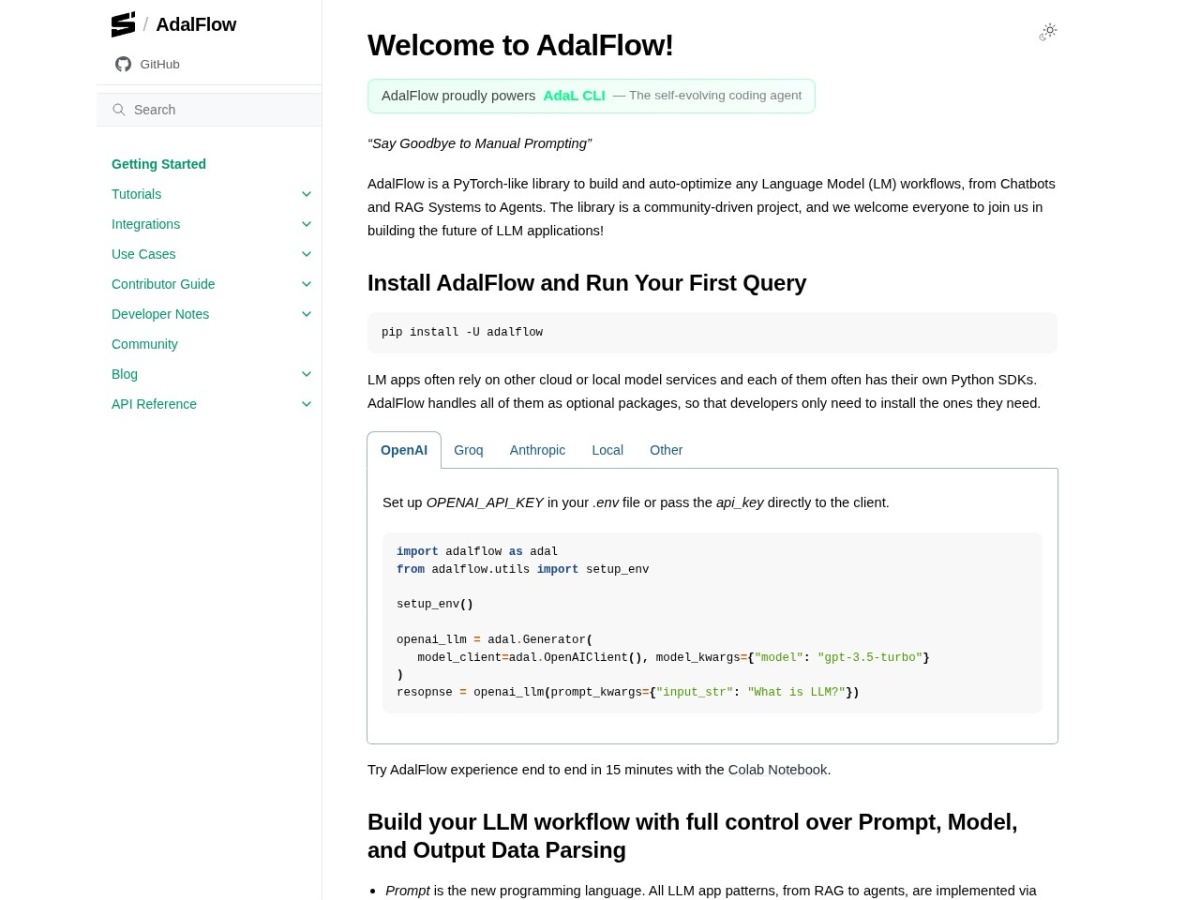
AdalFlow is an open‑source Python library that lets you assemble and automatically fine‑tune language‑model pipelines. It targets developers who need to combine chat, retrieval‑augmented generation, agents, or other LLM‑based components without writing extensive glue code.
The core of AdalFlow mirrors a PyTorch‑style API: you create objects such as Generator, Embedder, Retriever, or Agent and connect them into a workflow. Each component wraps a model service, OpenAI, Anthropic, Groq, Ollama, and several others, through optional client packages, so you only install the providers you actually use. After installing the library with `pip install -U adalflow`, you set the relevant API key in a `.env` file or pass it directly, then instantiate a generator like `adal.Generator(model_client=adal.OpenAIClient(), model_kwargs={"model":"gpt-3.5-turbo"})`. You invoke the generator by calling it with a dictionary of prompt arguments, for example `response = openai_llm(prompt_kwargs={"input_str":"What is an LLM?"})`; the call returns the raw model output, typically a string or a structured JSON if a parser is attached.
Beyond basic generation, AdalFlow includes utilities for prompt parsing, structured output, text splitting, and memory management. The Embedder component converts raw text into vector embeddings, which can be stored in a vector store and later queried by a Retriever such as FAISS, Qdrant, PostgreSQL, or BM25. A typical RAG workflow therefore takes a user query, splits it into chunks, embeds the chunks, retrieves the most relevant passages, and feeds them to a Generator along with the original prompt. Agents follow the ReAct pattern; you create an Agent object, define tool functions, and run it with a Runner that handles tool calls and response aggregation. Tracing and logging modules record each step of the pipeline, producing a trace graph that can be inspected for debugging or performance analysis.
Documentation is organized into tutorials, core concepts, and API references. The “Getting Started” guide walks you through installing the package, configuring environment variables, and issuing a first query. Additional sections cover advanced topics such as streaming responses, human‑in‑the‑loop workflows, and integration with external logging platforms like MLflow. The project is community‑driven, with contribution guidelines and a contributor guide available on the site, encouraging users to extend the library with new providers or components.
Key features
- PyTorch‑like component architecture for generators, embedders, retrievers, agents, and more
Details
- Pricing
- Free
- Category
- Data
Suggest an edit
Sign in to suggest an edit.
Pros and cons
Pros
- Unified interface for many model providers reduces dependency management
- Component design lets you mix and match parts without rewriting code
- Auto‑optimization features aim to improve results without manual tuning
- Extensive tracing and evaluation support helps diagnose pipeline behavior
Cons
- No pricing information is published; usage costs depend on external model services
- The library assumes familiarity with Python and LLM concepts, which may steepen the learning curve for beginners
- Documentation lists many components but does not provide concrete usage limits or performance benchmarks.
Alternatives
 LakesailLakeSail is a data and AI platform built around Sail, an open-source compute engine written in Rust that is compatible with Apache Spark.
 Quadratic MultiplayerQuadratic is an AI spreadsheet that connects to your data sources and helps you analyse them in a familiar grid.
 ScrapingdogScrapingdog is a web scraping API for extracting data from websites at scale.
 Faraday AIFaraday is a customer context platform for AI agents and marketing workflows.
 Quills AIQuills AI is a generative business intelligence assistant.
 KadoaKadoa is a web data platform built for finance.
 Modal ComModal is cloud infrastructure for teams that develop, train and serve AI applications.
 TavilyTavily is a search engine built for AI agents and large language model applications.
 LitellmLiteLLM is an open-source AI gateway and LLM proxy for platform teams.
 OpensilverOpenSilver is an open-source framework for building web applications with C# and XAML, as used by WPF and Silverlight.
 MarsaiMarsX is a development platform that combines AI, no-code tools, traditional code and reusable building blocks called MicroApps.
 Sourcery SentinelSourcery is an AI code reviewer for pull requests on GitHub and GitLab.