


agentbox
A desktop GUI for running dozens of Claude Code and Codex agents in parallel, each in its own git worktree. Answer them like email, or use the board view. Free,
Sign in to rate this tool.
Overview
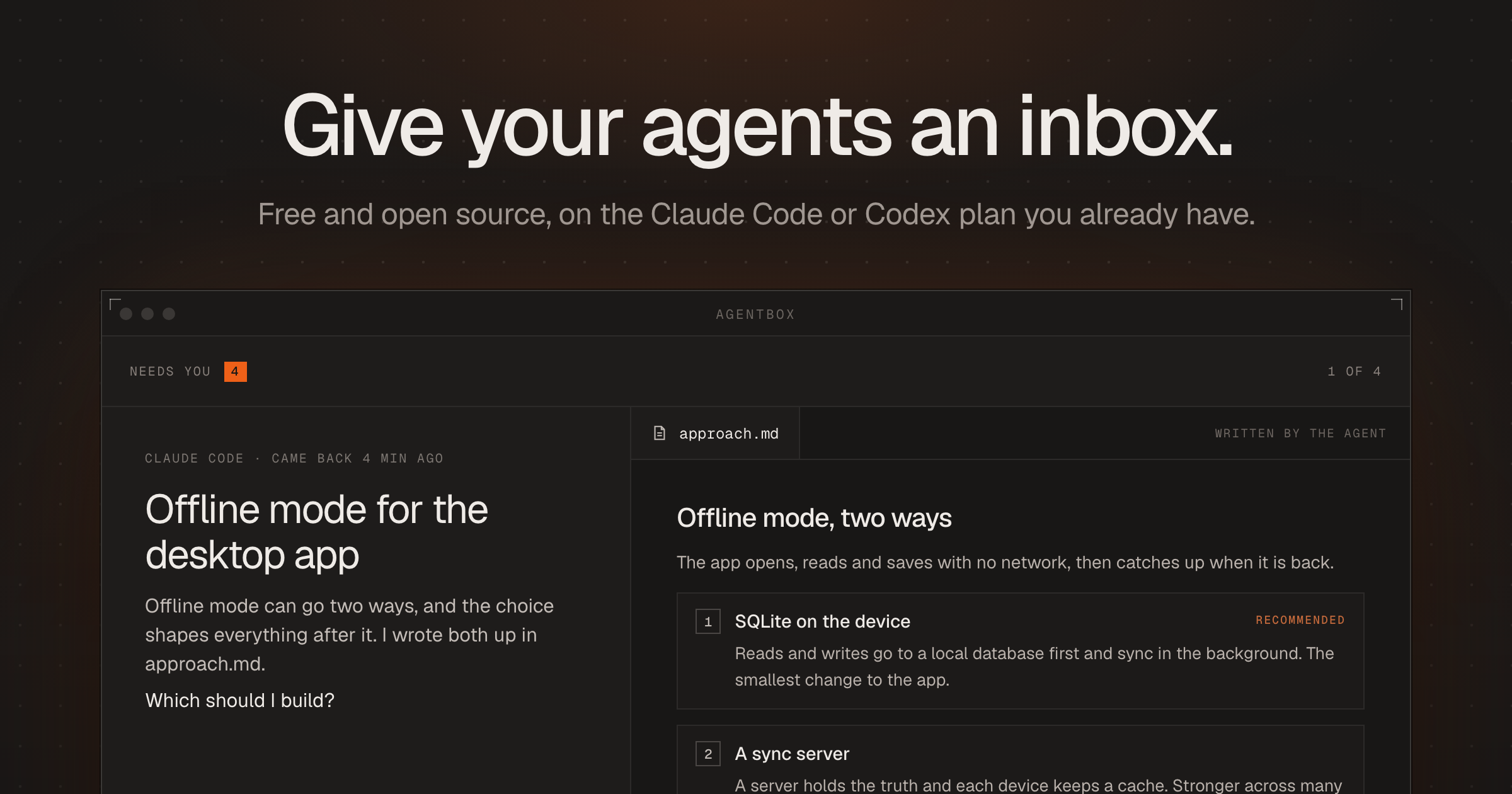
Agentbox is a free, open‑source desktop GUI that lets you run many Claude Code or Codex agents at the same time, each inside its own git worktree. The interface shows the agents' activity as an inbox or a board, so you can see which tasks need attention and which are progressing in the background.
The tool is aimed at developers who already have a Claude Code or Codex plan and want to manage multiple coding agents without creating separate accounts or API keys. You start a task by typing a description; the agent creates a dedicated git worktree under a folder such as ~/.claude/worktrees/<id>. While the agent works, you can watch its status, In progress, Later, Done, on the List or Board view. Priorities can be set by ranking projects and tagging urgent items, which determines the order in which agents pick up work.
Agentbox runs on macOS (Apple silicon and Intel) as a downloadable app and also works in a browser on Linux via the npx command. Each agent has a built‑in terminal that opens in the same window, allowing you to run commands like npm test or git merge directly where the agent is operating. The interface includes shortcuts such as ⌘ K to open the command bar and B to switch between list and board views. Notifications appear when you switch to another application, letting you know that a thread needs your input.
The application also supports recurring tasks; you can schedule a job to run every Monday at 8 am, for example, to update dependencies and run tests. Worktree folders persist across restarts, and you can snooze tasks to hide them until later. No additional subscription is required, the agents run on the Claude Code or Codex plan you already pay for, and there is no separate pricing page for Agentbox itself.
Key features
- Runs dozens of Claude Code or Codex agents in parallel, each in its own git worktree
- Inbox and board views for tracking agent status and priorities
- Built‑in terminal attached to each agent's worktree
- Keyboard shortcuts for quick navigation (⌘ K, B, ESC)
- Ability to schedule recurring tasks and snooze them
- Available as a native Mac app and a browser‑based version for Linux
Details
- Pricing
- Free
- Category
- Code
Suggest an edit
Sign in to suggest an edit.
Pros and cons
Pros
- No extra subscription or API key needed; uses existing Claude Code/Codex plan
- Visual organization of tasks through list and board modes
- Direct terminal access within the agent's worktree simplifies debugging
- Supports recurring tasks and snoozing for flexible workflow
Cons
- Pricing information is not published; the tool relies on an existing Claude/Codex subscription
- The description does not mention Windows support, limiting platform options
- No explicit mention of integration with other IDEs or external version‑control services beyond git worktrees.
Alternatives
 QodoQodo (formerly CodiumAI) reviews pull requests with multiple AI agents that learn your team's rules, check cross-repo impact and map your services.
 GitHub CopilotGitHub Copilot review (October 2026): AI coding assistant in your editor and on GitHub, verified Free, Pro, Pro+ and Max plans and AI Credits explained.
 Dhtmlx ChatbotDHTMLX Chatbot is a JavaScript UI widget for building chat interfaces for AI support agents and assistants.
 Kilo AIKilo, also known as Kilo Code, is an open-source AI coding agent.
 ClineCline is an open-source coding agent for VS Code, the terminal, desktop and cloud that works with your choice of model provider and your own API keys.
 ChatboxChatbox AI is a chat client that gives access to many leading AI models in one app.
 Respond IoRespond.io is a business messaging platform for companies that sell and support customers through chat apps.
 Navamai Enhance Your Craft With AINavamAI is an open-source command-line tool that turns your terminal into a personal AI assistant.
 CursorCursor review (October 2026): AI-first code editor with agents, verified Hobby, Pro, Pro+, Ultra and Teams pricing, privacy mode, pros and cons.
 KadoaKadoa is a web data platform built for finance.
 EarlyaiEarly Release Guard, from Early AI (startearly.ai), is a tool for software teams that want to spend less time repairing bugs.
 ReplitReplit is a browser-based builder where an AI Agent writes, hosts and publishes full apps from a plain-language description, with database and auth built in.