


AI Profile For Slack
Profile for Slack, from OrgEngage, is a Slack app for employee recognition and team connection.
Sign in to rate this tool.
Overview
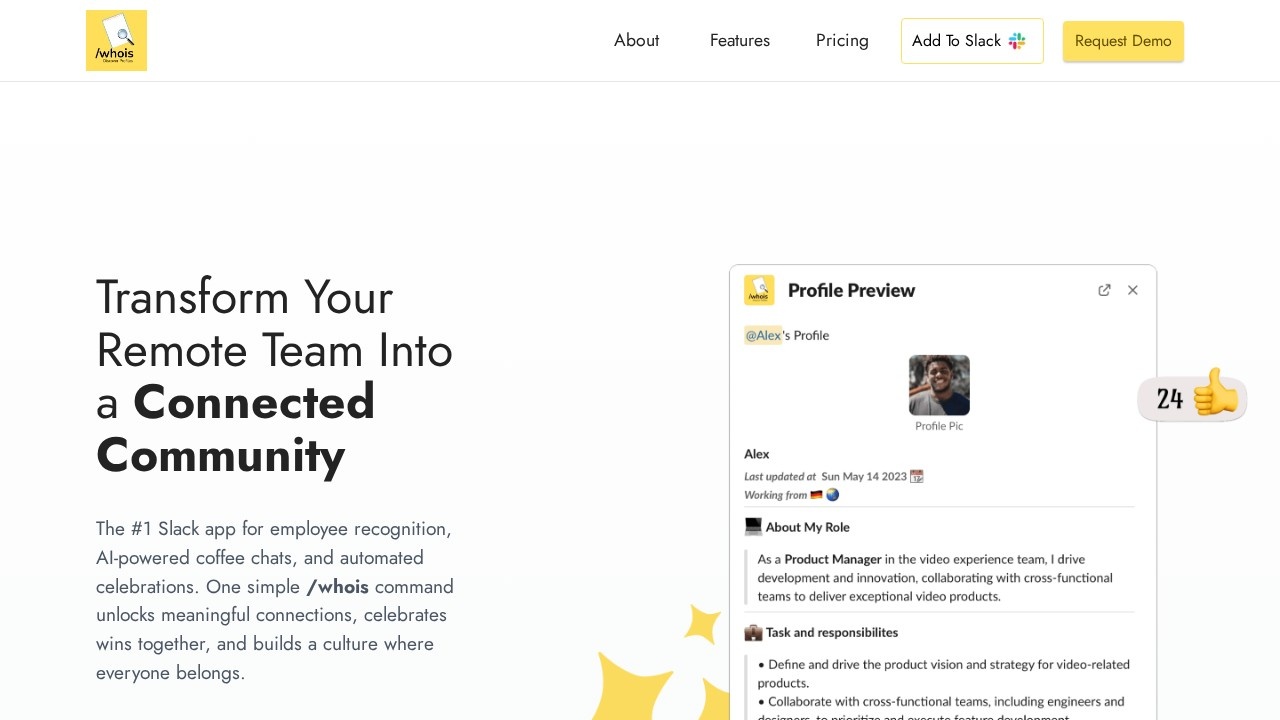
Profile for Slack, from OrgEngage, is a Slack app for employee recognition and team connection. It centres on a simple /whois command that shows colleagues' backgrounds, interests, skills and work preferences, and adds AI-powered coffee chats, peer kudos and automated celebrations. The goal is to help remote and distributed teams get to know each other beyond job titles.
Team profiles and onboarding
Typing /whois @username shows a rich profile of a colleague, including their background, skills and how they like to work. Employees can create and update their profiles within Slack. When someone joins, the app can automatically share their profile with the team or chosen channels, which makes introductions easier for new hires. Smart team discovery lets people search for colleagues by skills, interests, location or expertise.
Connection and recognition
AI-powered coffee chats match teammates for conversations and suggest personalised icebreaker topics, and profile-based matching can also support mentorship and skill sharing. A virtual watercooler offers AI-generated conversation starters and team bonding activities, including personalised trivia. Peer recognition lets employees give public or private kudos. Automated celebrations post birthdays and work anniversaries, taking time zones into account.
Pricing
The Team plan costs $2 per user per month with all features included, unlimited team members and no long-term commitment, and the first month is free. Setup is said to take under five minutes. An Enterprise plan with custom pricing is offered for organisations with more than 300 users. Admins get a dashboard to customise notifications and settings.
Who it suits
The app suits remote and hybrid companies that work mainly in Slack and want an inexpensive way to improve onboarding, recognition and informal connection.
Things to consider
Make profile fields and birthday sharing optional, as some employees prefer not to share personal details. Check what workspace data the app can access during installation. Recognition tools work best when leaders take part, so plan how you will encourage use after launch rather than relying on automation alone.
Running the free first month with one department is a simple way to see whether coffee chats and kudos are actually used before rolling the app out to the whole company.
Details
- Pricing
- Paid
- Release date
- 2026-01-26
- Category
- HR
Suggest an edit
Sign in to suggest an edit.
Alternatives
 EarlybirdInstant Upwork job alerts and AI proposal generation for faster gig acquisition.
 Golinks Search Powered By ChatgptIf ai recruiting tasks are part of your routine, Golinks Search Powered By Chatgpt is worth testing against your own use cases. Their website, golinks.io, has the full details. The...
 Workramp LmsLearn:Up is an AI-powered learning management system from Confirm, previously known as WorkRamp.
 SimplifySimplify is an AI job search platform.
 Respond IoRespond.io is a business messaging platform for companies that sell and support customers through chat apps.
 CursorCursor review (October 2026): AI-first code editor with agents, verified Hobby, Pro, Pro+, Ultra and Teams pricing, privacy mode, pros and cons.
 DartDart describes itself as the workplace for the agent era.
 Navamai Enhance Your Craft With AINavamAI is an open-source command-line tool that turns your terminal into a personal AI assistant.
 Kilo AIKilo, also known as Kilo Code, is an open-source AI coding agent.
 Datarails ComDatarails is a financial planning and analysis platform that calls itself an operating system for finance teams.
 LovableLovable builds and hosts full web apps from a chat, with Cloud hosting, auth and payments included and a credit-based Pro and Business plan.
 Dhtmlx ChatbotDHTMLX Chatbot is a JavaScript UI widget for building chat interfaces for AI support agents and assistants.