

captain-claw
Command a fleet of AI agents, on every deck, every desk, every wrist. Self-hosted multi-agent platform with memory, a coding pipeline, Flows, a team kiosk and v
Sign in to rate this tool.
Overview
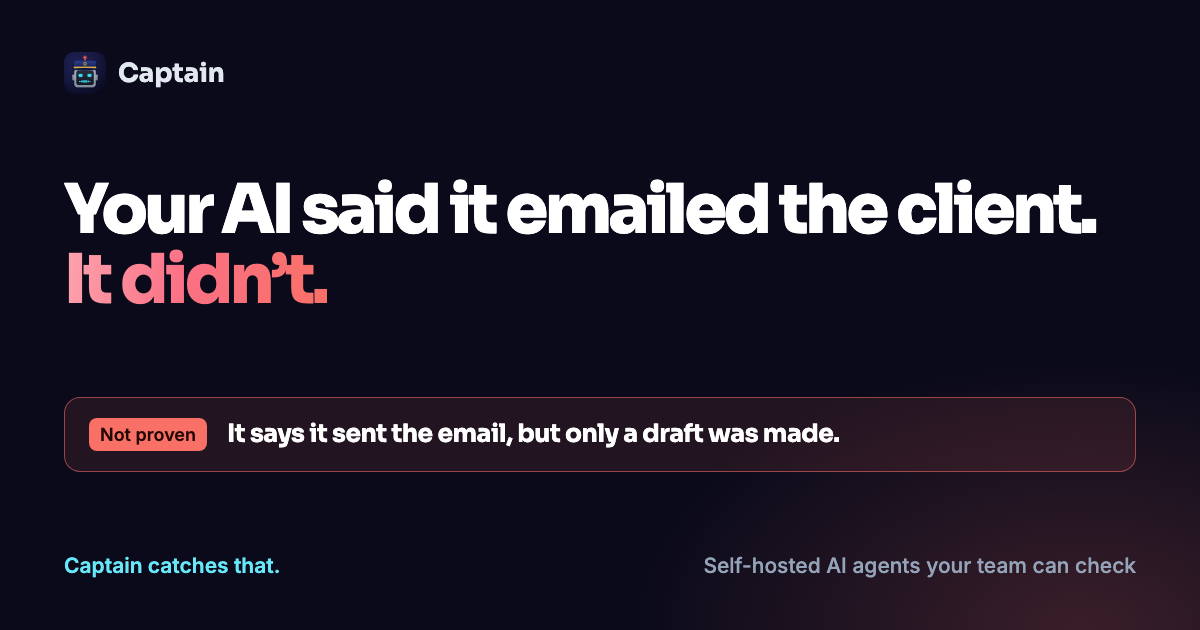
Captain is a self‑hosted platform that lets you run a fleet of AI agents on your own infrastructure. You install the software on a server you control, choose any large language model, including fully local ones, and avoid per‑seat licensing because the code is MIT‑licensed. Every interaction the agents have with external tools is written to a tamper‑evident log, so you can later verify exactly what was executed.
The system is built for organizations that need traceability and policy compliance when AI generates work. Each team member logs in with their own Google or Microsoft account, giving the agent a distinct identity. When an agent receives a request, such as “draft a reply to the client”, it creates a draft in Gmail or Outlook but does not send it automatically. Before any send operation, the guard logic checks recent drafts and sent messages; if a similar email already exists, the agent refuses to send and flags the action for your review. This prevents the “sent six times in a row” problem described in the listing. The same guard also blocks autonomous work that would create unsolicited drafts, requiring a human to approve each output.
You interact with Captain through a web‑based taskboard that aggregates work from email, WhatsApp, Telegram and scheduled jobs into columns like “Needs me”, “Waiting on others”, “Agents working” and “Done”. A kiosk provides skill cards that launch predefined workflows, and a library stores every file the agents produce, making it easy to retrieve past outputs. For onboarding, you can upload up to twelve reference documents and a set of instructions; the platform then runs an exam of 10 to 120 questions against the agent's real chat, grading each answer and explaining why any mistake occurred. This exam helps you confirm that the agent follows your internal handbook before it handles live tasks.
Typical inputs include a text prompt, attached policy documents, or a contract you paste into the interface. Outputs are usually drafts of emails, structured data updates (such as tracker entries), or status records that appear on the taskboard. The platform records each tool call, whether it queried a document, wrote a draft, or attempted to send an email, so you can audit the exact sequence of actions.
Details
- Pricing
- Free
- Category
Suggest an edit
Sign in to suggest an edit.
Pros and cons
Pros
- Full data sovereignty and control over model hosting
- Detailed audit log that shows exactly what the agent did
- Prevents accidental duplicate communications through guard checks
- Ability to verify agent behavior against internal documents before production use
Cons
- No published pricing or subscription details are provided
- Requires self‑installation and ongoing server maintenance
- No mention of native integrations beyond Gmail and Outlook for email checks
- Lack of publicly documented support SLA or roadmap.
Alternatives
 LakesailLakeSail is a data and AI platform built around Sail, an open-source compute engine written in Rust that is compatible with Apache Spark.
 CirclechatCircleChat is a team chat app in which AI agents work alongside people.
 LitellmLiteLLM is an open-source AI gateway and LLM proxy for platform teams.
 DynamiqDynamiq is an agentic AI platform for building and running AI agents for back-office automation and customer support, by voice and by chat.
 AdminforthAdminForth is an open-source, self-hosted framework for building back-office and admin panels, released under the MIT license.
 Qdrant IoQdrant is a high-performance vector search engine and database.
 CerebriumCerebrium is a serverless infrastructure platform for real-time AI workloads.
 Alian Hub Project Management SystemAlianHub is an open-source project management system that can grow into an ERP.
 EnconvoEnconvo is an AI agent for macOS that lives across your Mac.
 WarpWarp pairs a modern terminal with coding agents and cloud agent fleets, with usage included at API rates on its Build, Max and Business plans.
 Respond IoRespond.io is a business messaging platform for companies that sell and support customers through chat apps.
 RaindropRaindrop is a monitoring and debugging platform for teams that ship AI agents.