


Godot-MCP
Godot-MCP — Model Context Protocol (MCP) integration for the Godot Engine. AI tools for the Godot Editor in C#, with cloud connection to ai-game.dev. Apache-2.0
Sign in to rate this tool.
Overview
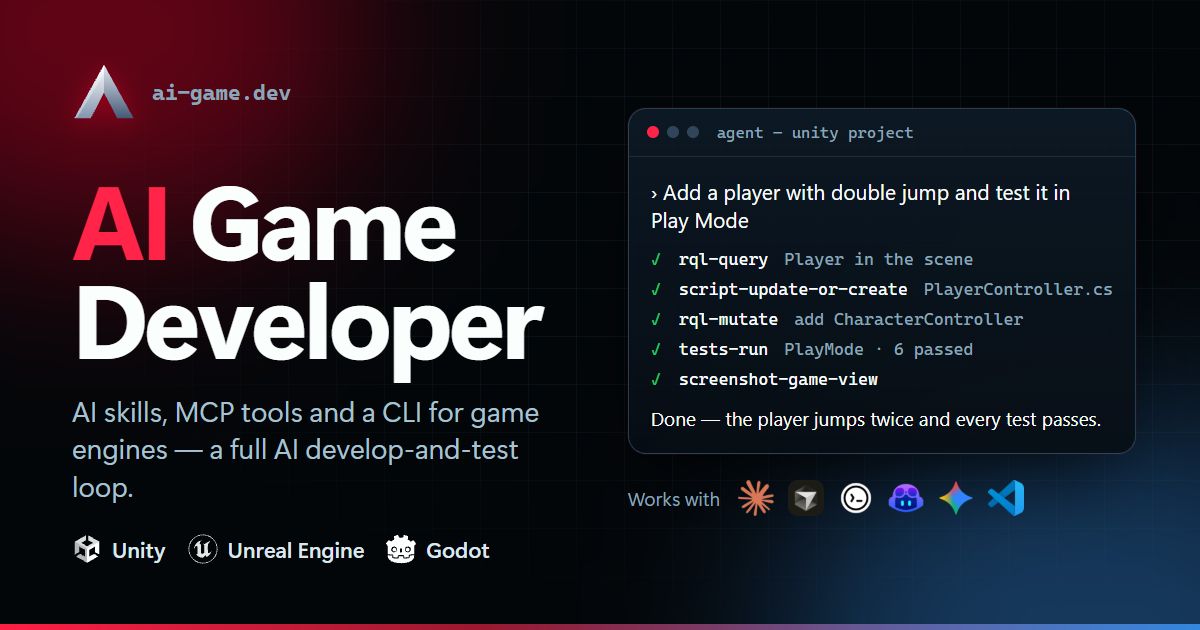
The Godot‑MCP plugin is a bridge between the Godot Engine and a set of AI agents. It is distributed as a free and open‑source package and installs as a plugin within the Godot editor. The plugin calls an external service hosted at ai‑game.dev, but all heavy lifting, image generation, audio synthesis, and mesh creation, is performed locally on the user's GPU. The desktop app that accompanies the plugin runs on Windows, macOS and Linux and offers a single point of entry for building, editing and play‑testing games inside any of the supported engines: Unity, Unreal or Godot.
To create content, you type a natural‑language request in a chat window. The request is routed to the configured AI skill. For example, you can ask for a “stylised treasure chest” and the AI will call the image model FLUX.2 to generate a textured 3D mesh. The plugin then writes the mesh file, a material, a texture and a minimal C# script that loads the asset into the current Godot project. Inputs are plain text or tags (e.g. @files, $commands); outputs are standard engine assets such as .tscn.blend.wav or .c# files that are placed in the project's folder structure. If you prefer to stay on your own machine, the app will install and launch Blender automatically, connect to it via the plugin, and let the AI edit meshes directly inside Blender before the final file is imported back into Godot.
The tool also supports audio generation. A command can call SuperCollider, yielding a .wav file that is immediately visible in the Godot AudioStreamPlayer tree. For scripted gameplay logic, you can invoke the “Script / Update or Create” skill which returns C# code blocks that you paste into a plugin script. Because the plugin operates through MCP, any engine can expose its own set of tools; the Godot implementation includes a list of 71 supported actions ranging from creating scenes, to querying game objects, to running unit tests. The UI shows the capabilities in a tree, so you can pick an action without remembering the exact command syntax.
This setup is ideal for solo hobby developers who need rapid iteration and do not want to manage external accounts or cloud costs.
Details
- Pricing
- Free
- Category
- Game
Suggest an edit
Sign in to suggest an edit.
Pros and cons
Pros
- Completely free tier with no account or billing required
- Works entirely locally, preserving project privacy
- Supports multiple AI agents and a wide range of engine actions
- Open source code allows for customization
Cons
- Pricing for the Pro tier is not detailed in the listing
- Limited visibility into GPU memory limits for very large projects
Alternatives
 LakesailLakeSail is a data and AI platform built around Sail, an open-source compute engine written in Rust that is compatible with Apache Spark.
 MeshyMeshy turns photos, sketches or text into 3D models in under a minute, with AI texturing, auto-rigging, animation and plugins for Blender and Unity.
 CursorCursor review (October 2026): AI-first code editor with agents, verified Hobby, Pro, Pro+, Ultra and Teams pricing, privacy mode, pros and cons.
 DynamiqDynamiq is an agentic AI platform for building and running AI agents for back-office automation and customer support, by voice and by chat.
 GitHub CopilotGitHub Copilot review (October 2026): AI coding assistant in your editor and on GitHub, verified Free, Pro, Pro+ and Max plans and AI Credits explained.
 NopsnOps is a cloud cost optimisation platform for engineering and finance teams.
 123rf AI Search Engine123RF is a long-running stock content marketplace that combines a large library of licensed media with a suite of AI creative tools.
 ClineCline is an open-source coding agent for VS Code, the terminal, desktop and cloud that works with your choice of model provider and your own API keys.
 LitellmLiteLLM is an open-source AI gateway and LLM proxy for platform teams.
 Maxim AIBifrost is an AI gateway made by Maxim AI.
 ComposioComposio is a platform that gives AI agents secure access to external apps and tools.
 SplineSpline is a browser 3D design tool for interactive scenes, with real-time collaboration, AI agents via MCP and publishing to web, iOS and Android.