


Gologin Cloud Browser
Cloud browser for AI agents and tough sites
Sign in to rate this tool.
Overview
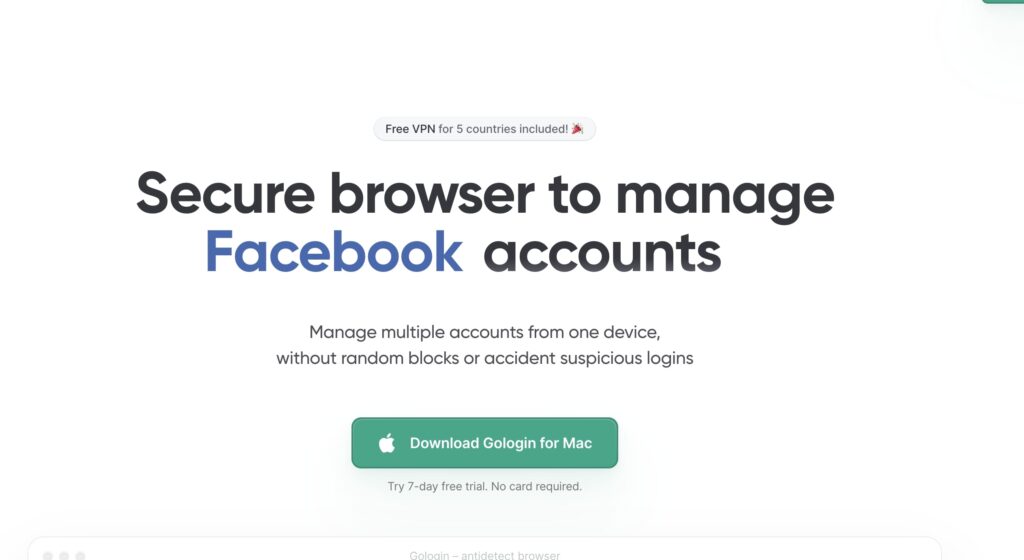
Gologin Cloud Browser lets you run separate browser profiles for each account, keeping fingerprints, cookies and geographic settings distinct. It is marketed as a way to manage many accounts from a single device, offering a free 7‑day trial to try the service. The site describes the product as a cloud‑based solution that isolates browser contexts for each user profile.
If you need to handle multiple logins, such as social media managers, marketers, or researchers, this tool can save time. The browser creates individual profiles that each carry its own fingerprint, cookie jar and location cache. You can switch between profiles without logging out and back in, avoiding the usual account‑mix‑up problems. The service claims that every account is isolated, so data from one profile does not leak into another. In practice, you start a new profile, enter the credentials for a target account, and the browser retains that session only for that profile. When you switch, the other profile's cookies are not shared, so the sites you visit under each profile feel unique.
The cloud architecture means you don't have to install separate browsers or manage local profiles on each machine. All data stays on the provider's servers, and the interface lets you control every profile from one pane. You can view active sessions, delete old profiles, or export session data if needed. The free trial lasts for seven days, after which the standard subscription applies. Because the profiles are stored in the cloud, you can access them from any device with an internet connection, which is useful for teams that share a single workstation or for users who switch between laptops and tablets.
People who manage dozens of accounts, such as bots, social media schedulers, or e‑commerce sellers, will find the isolation helpful. Users who only need a single account or who prefer a local browser setup may not need this service. The listing does not mention which operating systems are officially supported, whether the browser automatically updates, or how many simultaneous profiles a plan can hold. It also does not provide explicit information on how the fingerprinting works or whether the service offers API access.
Key features
- Isolated browser profiles with unique fingerprints, cookies, and location data
- Central dashboard to switch between accounts without re‑login
Details
- Pricing
- Free
Suggest an edit
Sign in to suggest an edit.
Pros and cons
Pros
- Keeps user data separated per profile, reducing account crossover
- Cloud‑based, so no local browser installations required
- User can manage many accounts from one control panel
Cons
- No public pricing or plan details listed on the site
- Limited information on supported browsers or device types
- No details about end‑to‑end encryption or data residency
- Trial period is only seven days, with no indication of post‑trial usage limits
Alternatives
 Progress MagicProgress Magic is a practice management tool for therapists, coaches and other professionals who support clients over time.
 SharpniqSharpniq Unblur Image is an online tool for removing blur from images.
 Dyspute AIDyspute.ai is an online dispute resolution platform built around Adri, an AI mediator.
 AI BookkeepingBookeeping.ai is an AI bookkeeping service for small businesses, built around an AI accountant called Paula.
 Contentstudio IoContentStudio is a social media management platform built around an AI agent that learns your brand.
 Digits Accounting ReimaginedDigits is accounting software built around AI.
 Smart InvoicesSmart Profit: Invoices & Estimates, found at smartinvoices.app, is an AI-powered invoicing app for iOS and Android.
 ComposioComposio is a platform that gives AI agents secure access to external apps and tools.
 Roe AIRoe is an agentic investigation platform for fraud and anti-money laundering teams.
 NopsnOps is a cloud cost optimisation platform for engineering and finance teams.
 Baiby Baby Name GeneratorBaiby is a free AI baby name generator.
 Hugging FaceHugging Face hosts 2M+ open models plus datasets and Spaces demos, with PRO, Team and Enterprise plans and pay-as-you-go GPUs.