


happy
Orchestrate Claude, Codex and Grok in one app. Open-source (MIT), reuses the subscriptions you already pay for.
Sign in to rate this tool.
Overview
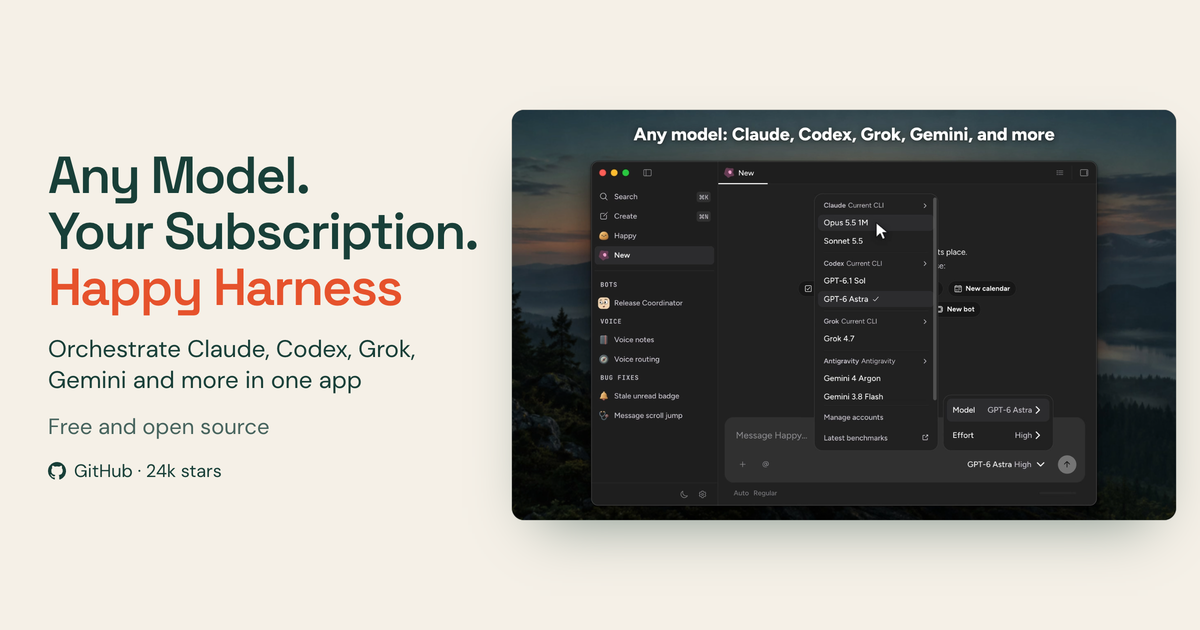
Happy is an open‑source application that lets you work with several large‑language‑model providers from a single interface. It runs on desktop operating systems and also offers a mobile client, so you can continue a session on a phone after leaving your desk. The tool is positioned as a “use” that reuses the API subscriptions you already have for Claude, Codex, Grok, Gemini and other models.
The core idea is to let you pick the model that best fits each task without needing separate accounts or billing for each service. After signing in with the credentials you already use for Claude, Codex and Grok, and with Google for Gemini, Happy connects to those APIs and presents them in one place. You can start a Claude or Codex session directly from a terminal command (`happy claude` or `happy codex`) or launch the graphical desktop app, and the same project files are available on the mobile app, with end‑to‑end encryption protecting the data that moves between devices.
Happy is aimed at developers and teams who already have paid subscriptions to multiple model providers and want a unified workflow. Because the software is MIT‑licensed, you can run it on your own hardware, inspect the source code, fork it, or build a custom version. The project also supports a multiplayer mode: you can deploy a team server, let each member sign in with their own credentials, and share projects and sessions across the group. The CLI remains available for users who prefer a terminal‑only experience, and the desktop client can be installed via Homebrew on macOS (Apple Silicon or Intel) or downloaded for Windows and Linux.
Key features
- Access to Claude, Codex, Grok, Gemini and additional models from a single app
- Reuse of existing API subscriptions; no additional billing required
- Open‑source MIT license with ability to run locally on your hardware
- End‑to‑end encrypted synchronization between desktop and mobile sessions
- Multiplayer team server for shared projects and individual sign‑ins
- Terminal‑first workflow with commands like `happy claude` and `happy codex`
Details
- Pricing
- Free
- Category
- Code
Suggest an edit
Sign in to suggest an edit.
Pros and cons
Pros
- Consolidates multiple model providers, reducing context switching
- Free and open source, allowing code review and custom builds
- Encryption ensures session data is protected across devices
- Supports both GUI and CLI usage, fitting different developer preferences
- Multiplayer server enables collaborative work without separate accounts
Cons
- Requires existing subscriptions to the supported models; no free model access provided
- Pricing information for the tool itself is not published, though it is described as free
- Installation instructions focus on macOS Homebrew; Windows and Linux steps are less detailed.
Alternatives
 Dhtmlx ChatbotDHTMLX Chatbot is a JavaScript UI widget for building chat interfaces for AI support agents and assistants.
 OpensilverOpenSilver is an open-source framework for building web applications with C# and XAML, as used by WPF and Silverlight.
 ChatboxChatbox AI is a chat client that gives access to many leading AI models in one app.
 Maxim AIBifrost is an AI gateway made by Maxim AI.
 ClineCline is an open-source coding agent for VS Code, the terminal, desktop and cloud that works with your choice of model provider and your own API keys.
 LitellmLiteLLM is an open-source AI gateway and LLM proxy for platform teams.
 Kilo AIKilo, also known as Kilo Code, is an open-source AI coding agent.
 Navamai Enhance Your Craft With AINavamAI is an open-source command-line tool that turns your terminal into a personal AI assistant.
 GitHub CopilotGitHub Copilot review (October 2026): AI coding assistant in your editor and on GitHub, verified Free, Pro, Pro+ and Max plans and AI Credits explained.
 BeamBeam is a native macOS app that puts ChatGPT one hotkey away.
 CerebriumCerebrium is a serverless infrastructure platform for real-time AI workloads.
 Qdrant IoQdrant is a high-performance vector search engine and database.