


Sign in to rate this tool.
Overview
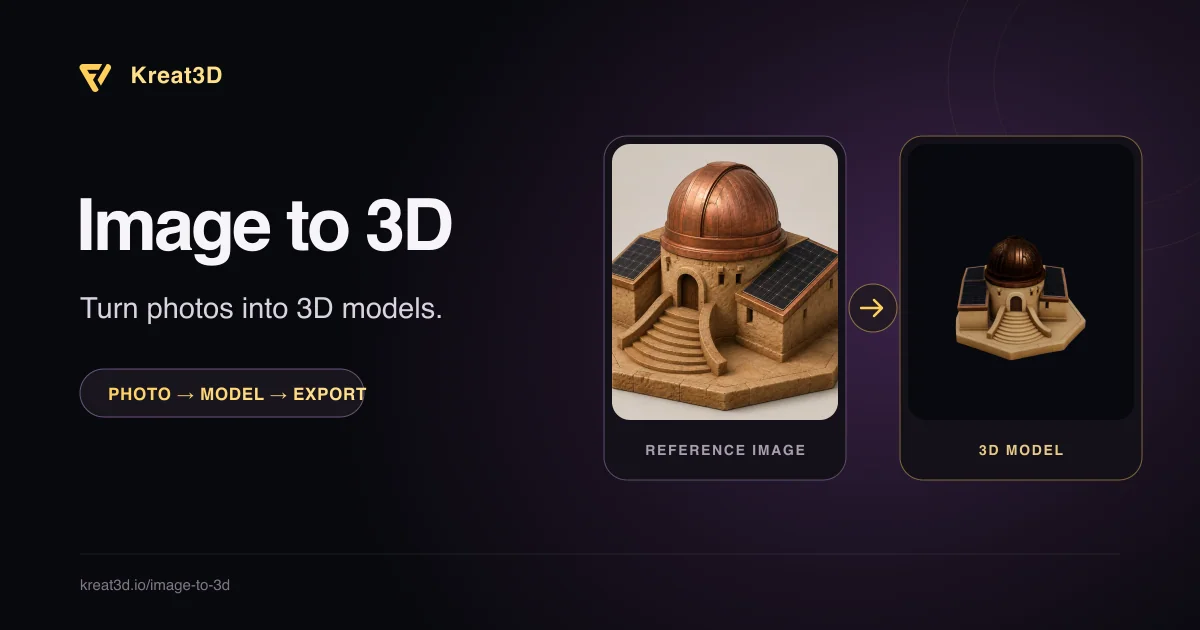
Kreat3D is an online service that turns a single photo, sketch, or concept image into a 3D model you can view and download from a browser. The platform offers a free tier with starter credits, so you can try the basic workflow without providing payment details.
The tool works by letting you upload an image up to 20 MB in JPG, PNG, or WebP format, with dimensions between 20 px and 6000 px. After you select a generation model, either geometry‑only or geometry + texture, the AI builds a mesh, inferring hidden surfaces from the visible view. You can also supply multiple consistent views (front, back, left, right) when a multi‑view option is available under your plan, which gives the generator more context for the shape. While the model is being created, Studio displays progress and, once finished, shows an interactive preview where you can rotate and zoom the result.
When the preview looks acceptable, you can download the model in one of several formats: GLB, OBJ, FBX, or STL. The exact formats and texture quality depend on the selected model and whether you have a paid account. Exported files can be opened in Blender, a game engine, or a slicer for 3D printing, making the output useful for game prototypes, product studies, AR experiments, or classroom projects. For more complex pipelines, Kreat3D provides Canvas, which links the generation step to a texturing step, as well as an MCP‑connected AI agent and a CLI for script‑based automation.
The interface offers four ways to start a task: Studio for a guided browser workflow, Canvas for visual node‑based connections, MCP for an AI‑driven agent, and a command‑line interface for terminal or script integration. Each option follows the same three‑step pattern, upload a clear reference, choose settings and generate, then inspect and continue. The service runs entirely in the cloud, so you do not need to install any modeling software locally.
Key features
- Upload single or multi‑view images (JPG, PNG, WebP, max 20 MB)
- Choose geometry‑only or geometry + texture output
- Export to GLB, OBJ, FBX, or STL depending on plan
- Browser‑based preview with rotation and zoom controls
- Canvas visual workflow connects generation and texturing steps
- MCP agent and CLI for automated or scripted generation
Details
- Pricing
- Freemium
- Category
- 3D
Suggest an edit
Sign in to suggest an edit.
Pros and cons
Pros
- Free tier includes starter credits, no credit card required
- Supports both single‑view and multi‑view inputs for better shape inference
- Multiple export formats cover common 3D pipelines
- Offers visual (Canvas) and scriptable (CLI) interfaces for different workflows
Cons
- Downloading models requires a paid account; free users cannot export files
- Texture quality, PBR options, and multi‑view support vary by subscription tier and are not detailed on the public page
- No pricing information is provided in the listing text.
Alternatives
 MeshyMeshy turns photos, sketches or text into 3D models in under a minute, with AI texturing, auto-rigging, animation and plugins for Blender and Unity.
 SplineSpline is a browser 3D design tool for interactive scenes, with real-time collaboration, AI agents via MCP and publishing to web, iOS and Android.
 AI Photo EditorAI Photo Editor is a browser-based tool that edits photos from a written prompt.
 Stable VideoAI video model transforming images/text into videos.
 123rf AI Search Engine123RF is a long-running stock content marketplace that combines a large library of licensed media with a suite of AI creative tools.
 MagnificMagnific, the AI upscaler, is now also Freepik's new name: an all-in-one creative platform with image, video, audio and 3D tools plus stock assets.
 Image to Claymation AI GeneratorImage to Claymation is an online tool that converts an ordinary photo into an image that looks sculpted from modelling clay.
 Lovspark AILovspark is an AI design workspace for interior designers and architects.
 AI Cartoon GeneratorAI Cartoon Generator is a web tool that creates cartoon, anime and manga-style images from text descriptions.
 AI Christmas PhotoTransforms selfies into AI-generated Christmas photos quickly and affordably.
 OptivizioAI photo generator for professional-quality visuals.
 The New BlackThe New Black is an AI platform made for fashion brands.