


pi-go
Go implementation of AI coding agent
Sign in to rate this tool.
Overview
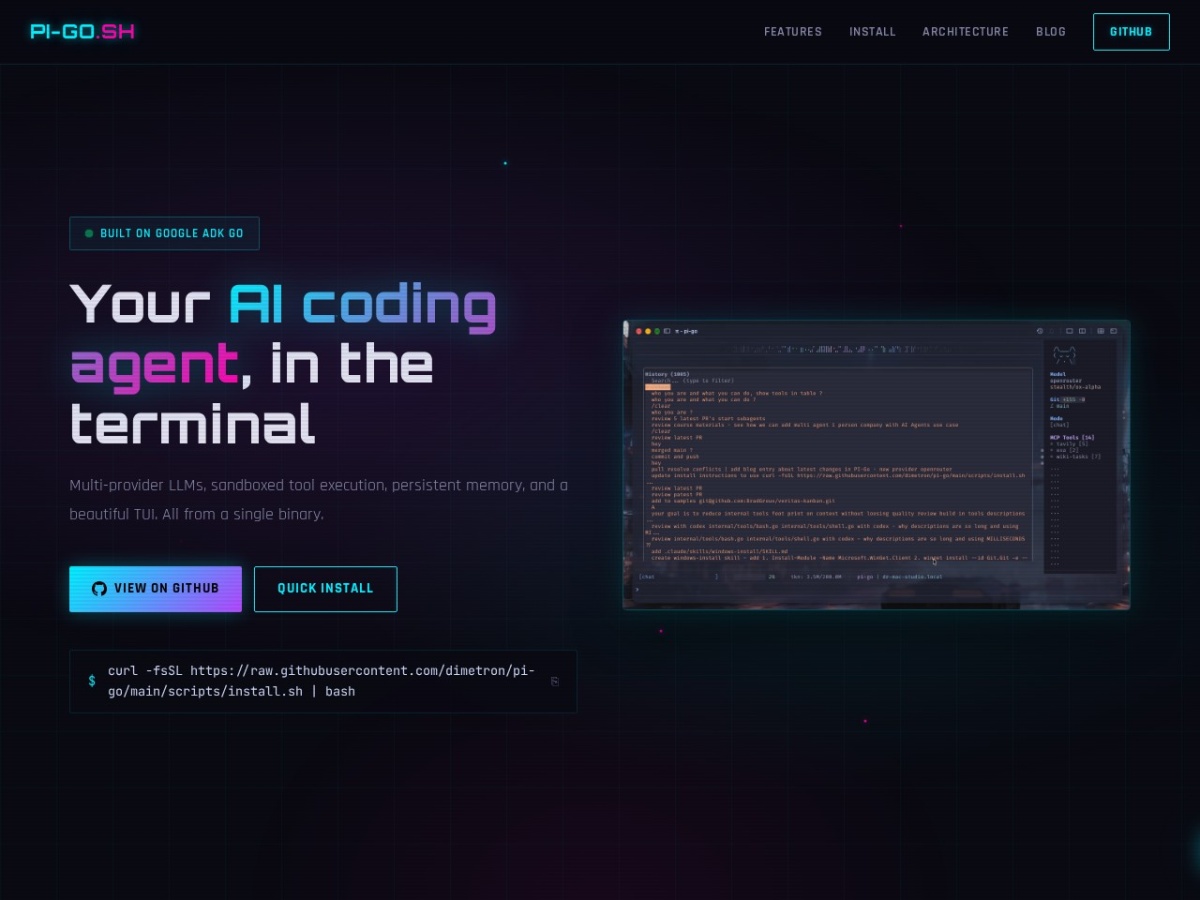
Pi-go is a terminal‑based coding assistant written in Go that runs from a single binary. It lets you converse with large language models without leaving your command‑line workflow, and it bundles a set of development‑oriented tools that can be invoked directly from the chat interface.
When you start the program with `pi` you are presented with a text‑based user interface. You choose a model either with a flag such as `--model gpt-5.6-sol` or later in the session using the `/model` slash command, which swaps the provider without restarting the tool. After you type a prompt, the agent forwards the request to the selected LLM, receives the response and can automatically call one of the sandboxed utilities. Typical inputs include a request to create a file, edit code, run a shell command, or query a git repository. The output appears in the same pane, showing the LLM's answer together with any tool output, such as file contents, grep matches, or a git diff. All tool actions are restricted to the directory defined as the project root, enforced by the Go `os.Root` sandbox, so the assistant cannot modify files outside that scope.
The “Memory Palace” stores conversational context across four layers. A SQLite database holds structured data, an FTS5 index enables full‑text search, semantic embeddings allow similarity queries, and a temporal knowledge graph records the order of events. You can retrieve stored snippets with `/memory` commands, which return matching text or embeddings that the LLM can reference in later replies. This persistent memory is useful for large projects where the assistant needs to recall earlier design decisions or code snippets.
For language‑specific assistance, pi‑go includes an LSP client that connects to JSON‑RPC servers for Go, TypeScript, Python and Rust. When you ask for formatting, diagnostics or type information, the agent forwards the request to the appropriate language server and returns the formatted code or error list in the terminal. The subagent system runs separate processes for distinct roles, explore, plan, designer, reviewer and generic task runners. You can launch a planning session with `/plan`, start a design review with `/agents`, or execute a specification using `/run`. Each subagent works concurrently, and you can monitor their status with the `/agents` command.
Sessions are recorded in an append‑only JSONL log.
Details
- Pricing
- Free
Suggest an edit
Sign in to suggest an edit.
Pros and cons
Pros
- Single‑binary installation works on Linux, macOS and Windows, simplifying setup
- Wide range of LLM providers, including local Ollama models, gives flexibility in cost and capability
- Sandbox confines tool actions to the project directory, reducing accidental file changes outside the scope
- Persistent, searchable memory helps maintain context over long development sessions
Cons
- No pricing or licensing details are provided on the site; the tool appears to be open source but cost information is absent
- Documentation on creating custom extensions, MCP servers or advanced skill files is limited, which may hinder deep customization
- Interaction relies on terminal commands and slash‑based syntax, which may be less approachable for users unfamiliar with CLI environments.
Alternatives
 Navamai Enhance Your Craft With AINavamAI is an open-source command-line tool that turns your terminal into a personal AI assistant.
 CerebriumCerebrium is a serverless infrastructure platform for real-time AI workloads.
 Claude AIClaude review (October 2026): Anthropic's AI assistant, key features, verified Free, Pro, Max and Team pricing, pros, cons and alternatives.
 ChatGPTChatGPT review (October 2026): features, verified Free, Go, Plus and Pro pricing, who it suits, pros, cons and alternatives on AIMAPER.
 LakesailLakeSail is a data and AI platform built around Sail, an open-source compute engine written in Rust that is compatible with Apache Spark.
 Kilo AIKilo, also known as Kilo Code, is an open-source AI coding agent.
 Dhtmlx ChatbotDHTMLX Chatbot is a JavaScript UI widget for building chat interfaces for AI support agents and assistants.
 CursorCursor review (October 2026): AI-first code editor with agents, verified Hobby, Pro, Pro+, Ultra and Teams pricing, privacy mode, pros and cons.
 Clipto ComAI-powered media management assistant with transcription, video editing, and asset management tools.
 ClineCline is an open-source coding agent for VS Code, the terminal, desktop and cloud that works with your choice of model provider and your own API keys.
 RaindropRaindrop is a monitoring and debugging platform for teams that ship AI agents.
 Google GeminiGoogle Gemini review (October 2026): features, verified Free, AI Plus, AI Pro and AI Ultra pricing, who it suits, pros, cons and alternatives.