


pinchy
Self-hosted AI agent platform built on OpenClaw. Enterprise-ready, offline-capable, open source. 🦞
Sign in to rate this tool.
Overview
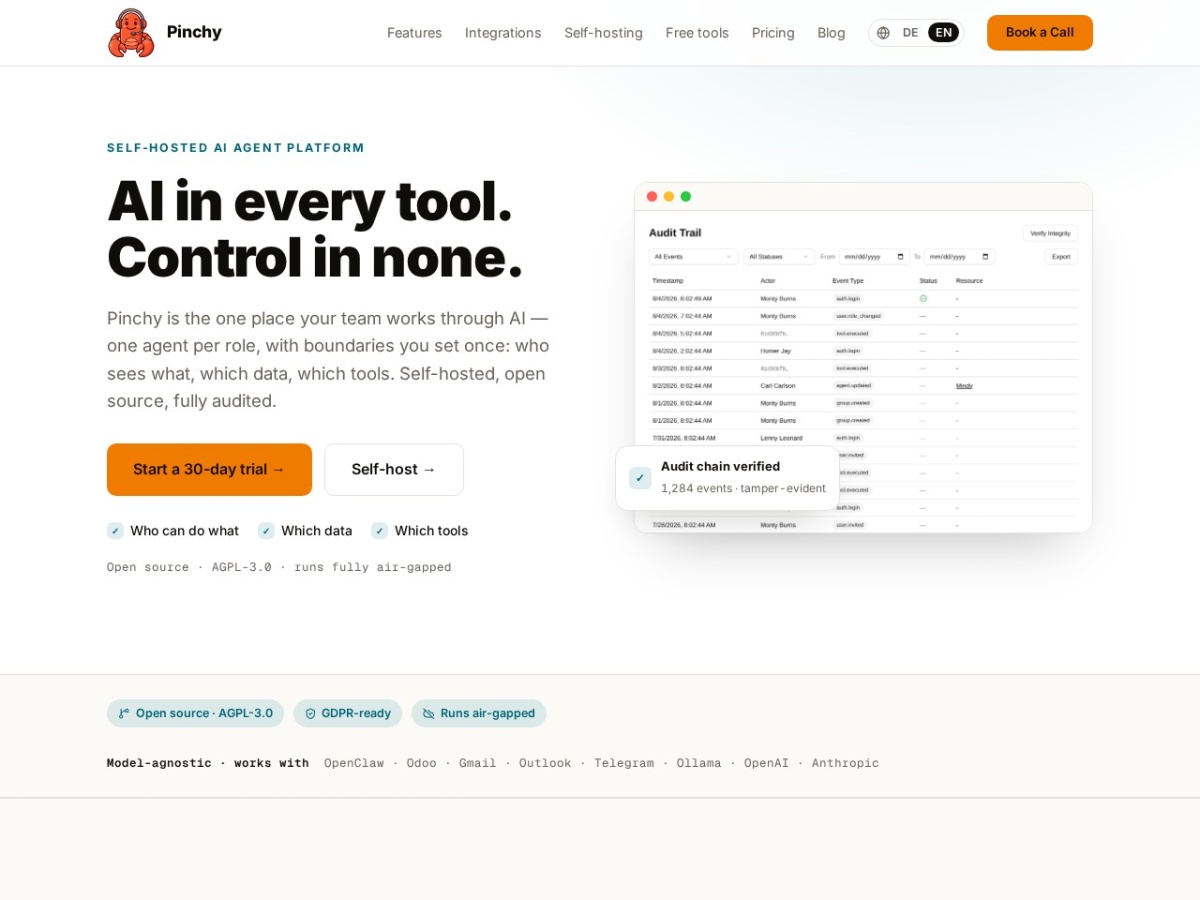
Pinchy is a self‑hosted AI agent platform that lets you give each team function, support, sales, operations, onboarding, finance, a dedicated assistant. The system runs inside Docker containers on any Linux host, and a single `docker compose up -d` command starts the web UI, database, and OpenClaw runtime. Because the whole stack can be air‑gapped, no data leaves your premises, which is useful for organizations with strict compliance requirements.
The core idea is to create one agent per role and then lock that agent down with three layers of boundaries. First, role‑based access controls decide which users can see or interact with a given agent. Second, an allow‑list of data directories determines exactly which files or databases the agent may read; the default stance is deny‑everything unless you explicitly grant read permission. Third, scoped plugins define which external tools the agent can call, such as Odoo, Gmail, Outlook, Telegram, or a web‑search service. Every request, whether reading a PDF, drafting a quote, or pulling a purchase order, is logged in a per‑row HMAC‑SHA256 signed audit trail that can be exported to a SIEM for further analysis.
In practice, a sales agent might receive a CSV of prospects, query a local OpenAI or Ollama model for pricing suggestions, and then write a draft quote into Odoo using the `odoo.draft` permission. The draft is saved but not sent until a human approves it, and the audit log records who triggered the draft and which data sources were consulted. A support agent can read a knowledge‑base directory, generate a reply in Gmail or Outlook, and present the draft to a human reviewer; the reply is never sent automatically because the `gmail.send` permission is blocked. Finance can run an invoice‑matching bot that reads incoming invoices, compares them to purchase orders in Odoo, and flags mismatches without ever initiating a payment.
Pinchy ships with pre‑built agent templates for Odoo 16, Telegram channels, and common email clients, so you can start with a ready‑made configuration and then adjust the allow‑list and permissions to match your policies. The platform also supports web search per agent, with each query logged, and a knowledge‑base feature that cites the source of every answer.
Details
- Pricing
- Free
- Category
- Data
Suggest an edit
Sign in to suggest an edit.
Pros and cons
Pros
- Self‑hosted architecture keeps all data behind your firewall
- Granular permission model prevents agents from accessing unauthorized resources
- Open‑source AGPL‑3.0 license allows code inspection and customization
- Supports both local models via Ollama and external APIs, avoiding vendor lock‑in
Cons
- Advanced RBAC features such as custom roles or SSO/SAML are listed as roadmap items, not yet available
- No published pricing; operating costs depend on your own model and infrastructure choices
- Requires Docker and a Linux environment, which may limit adoption in non‑Linux stacks
- Enterprise‑grade features like granular RBAC are not currently implemented.
Alternatives
 LakesailLakeSail is a data and AI platform built around Sail, an open-source compute engine written in Rust that is compatible with Apache Spark.
 Quadratic MultiplayerQuadratic is an AI spreadsheet that connects to your data sources and helps you analyse them in a familiar grid.
 KadoaKadoa is a web data platform built for finance.
 LitellmLiteLLM is an open-source AI gateway and LLM proxy for platform teams.
 DynamiqDynamiq is an agentic AI platform for building and running AI agents for back-office automation and customer support, by voice and by chat.
 AdminforthAdminForth is an open-source, self-hosted framework for building back-office and admin panels, released under the MIT license.
 Qdrant IoQdrant is a high-performance vector search engine and database.
 Maxim AIBifrost is an AI gateway made by Maxim AI.
 ComposioComposio is a platform that gives AI agents secure access to external apps and tools.
 Manifestly 3 0Low-code platform for automating recurring workflows and checklists with AI and integrations.
 Sourcery SentinelSourcery is an AI code reviewer for pull requests on GitHub and GitLab.
 WarpWarp pairs a modern terminal with coding agents and cloud agent fleets, with usage included at API rates on its Build, Max and Business plans.