


Trevorai Com
Trevor AI is an AI planner that combines your task lists and calendars in one view and helps you turn to-dos into scheduled time blocks.
Sign in to rate this tool.
Overview
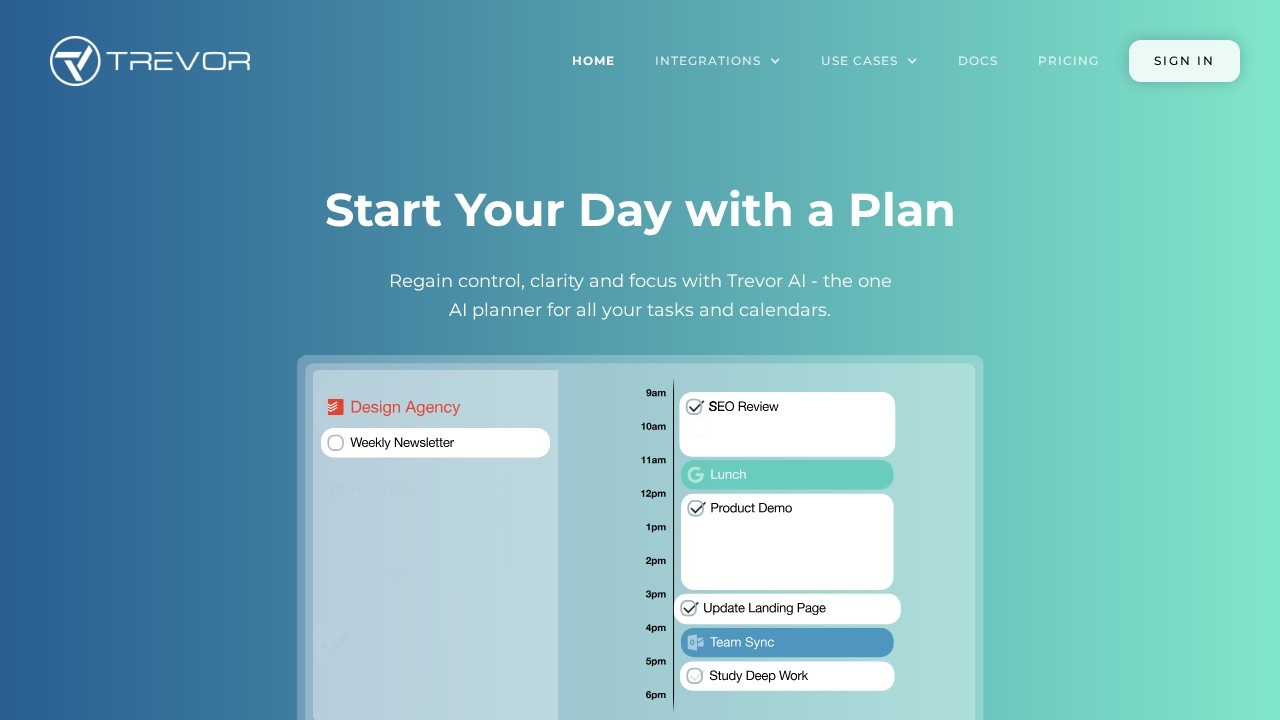
Trevor AI is an AI planner that combines your task lists and calendars in one view and helps you turn to-dos into scheduled time blocks. Its pitch is to start your day with a plan, regaining control, clarity and focus by seeing everything that competes for your time in one place. It runs on the web for desktop and mobile.
See and manage everything
Trevor connects multiple task lists and calendars and syncs scheduled tasks in real time, so you no longer hunt for scattered to-dos or forgotten appointments. Planning uses drag and drop: you drop a task onto your calendar and move it around as the day changes, so you stay in control of the schedule.
Turn to-dos into time blocks
The AI does what a traditional to-do list cannot. It predicts how long a task will take, analyses your availability and suggests a time block, which you accept with a click. You can also schedule tasks yourself; one user review on the site praises the choice between smart scheduling and manual planning. Time blocking is a well-known technique for protecting focus, because a task with a set slot is much more likely to get done than one that sits on a list.
Daily planning habit
Testimonials describe Trevor as a daily habit that reduces mental clutter and helps prioritise the most important tasks. Starting each morning by reviewing tasks and placing the key ones into the day is the core workflow.
Pricing
Check Trevor AI's website for its current plans and prices before you sign up, and try it for a week to see whether it fits your routine.
Who it suits
Trevor suits professionals, freelancers and students who juggle tasks across several tools and calendars, and people who want to try time blocking without the setup effort.
Things to consider
AI duration estimates are a guide; adjust them as you learn how long your work really takes. Leave buffer time between blocks for interruptions. Review what calendar and task data you connect and the permissions requested. Keep your plan realistic: scheduling too many tasks into one day leads to frustration rather than focus, so choose a few priorities and protect them.
Details
- Pricing
- Freemium
- Release date
- 2025-09-21
- Category
- Planning
Suggest an edit
Sign in to suggest an edit.
Alternatives
 FlowsavvyFlowSavvy is an AI calendar and task planner that takes your to-do list and fits it into your calendar automatically.
 Plan Quest BetaPlan Quest is an AI-assisted goal planning app.
 LoadmuscleAI workout generator for personalized fitness plans and progress tracking.
 Skedpal ComSkedPal is an AI-powered calendar and task planner.
 GanttPilotGanttPilot is an AI scheduling tool for people who already have a project plan and need to revise it.
 DartDart describes itself as the workplace for the agent era.
 Sup Standup BotSup is a bot for Slack, Microsoft Teams and Webex that runs asynchronous standups and tracks time off.
 Saga AISaga is a collaborative workspace that brings notes, docs, tasks and AI together in one place.
 Decktopus AIDecktopus AI is a presentation maker that generates a complete deck from a description of your topic.
 Filo MailFiloMail is an email client that combines several accounts with a to-do list.
 Tootoon GptGenerates sketch videos from one-sentence stories using ChatGPT and style transfer.
 Meta AIMeta AI is Meta's free assistant inside WhatsApp, Instagram, Messenger and Facebook, with deep research, image editing and voice in 13 languages.