


3Dstudio.co AI Render
Photoreal renders from a SketchUp, Revit, Archicad or Rhino screenshot, with your geometry kept.
Sign in to rate this tool.
Overview
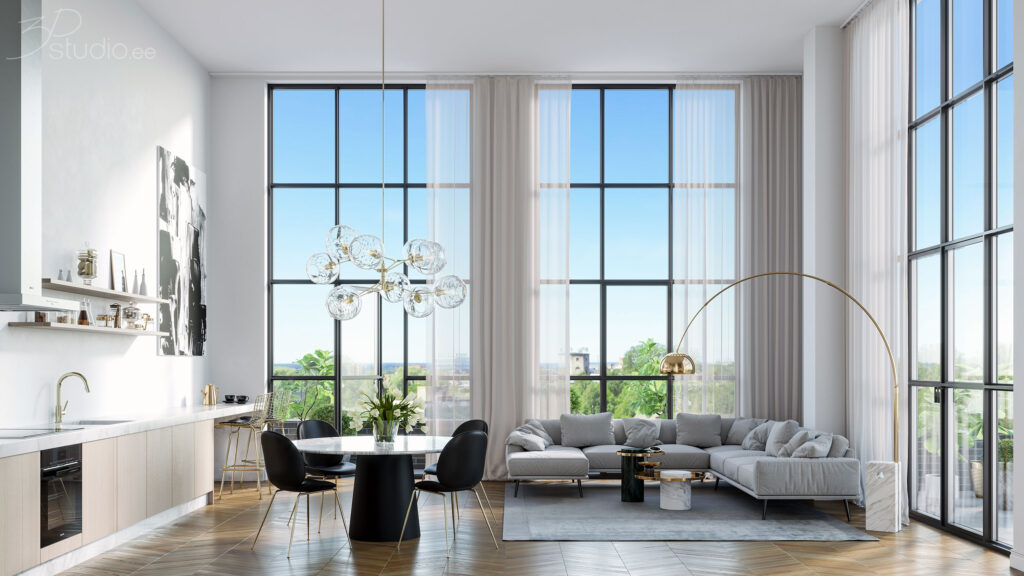
3Dstudio.co AI Render lets you turn a screenshot of a SketchUp, Revit, Archicad, Rhino or any other 3‑D program into a photoreal image. The service keeps the geometry of walls, windows and camera position, and it delivers a result in roughly 20 seconds inside your browser. The first render is free and does not require an account.
The workflow consists of three steps. First, you capture a screenshot of the view you want to render, a plain white or clay model tends to give the cleanest output. Next, you select a lighting preset such as daylight, evening sun, dusk, cloudy, night or winter; after the render you can also add people, trees, or change the light without starting over. Finally, the system generates the image, shows a “lines kept” score that indicates how much of the original geometry was preserved, and lets you drag across the result to verify that nothing shifted before you download it.
The tool is aimed at architects, interior designers and visualizers who need quick, high‑quality images without installing software or having a GPU. Because it works from a screenshot, you never upload the actual model file, and the service states that your images are not used for AI training or published elsewhere. Free renders include a small 3Dstudio.co logo and are limited to personal use; paid plans remove the logo and allow client work, with credit packs that never expire. The service also offers 5‑second video renders and the ability to fix specific areas of an image, with a limited number of fixes included in a free account.
Key features
- Upload a PNG, JPG or WebP screenshot from any 3‑D program
- Choose from multiple lighting presets and adjust after rendering
- About 20‑second render time in the browser, no GPU required
- “Lines kept” score to assess geometry fidelity, with a free re‑run if needed
- Ability to add people, trees or fix material errors on the rendered image
- Credit‑based pricing, free tier includes 5 renders and no credit card
Details
- Pricing
- Freemium
- Category
- 3D
Suggest an edit
Sign in to suggest an edit.
Pros and cons
Pros
- No installation or hardware requirements; works entirely in the browser
- Geometry alignment is quantified, and a free re‑run is offered for low scores
- Supports interior and exterior views from a wide range of 3‑D applications
- Credit packs never expire and failed renders are refunded automatically
Cons
- Free renders carry a 3Dstudio.co logo and are limited to personal use only
- Pricing details are not fully disclosed in the listing; only plan names and credit rates are shown
- The number of post‑render fixes is limited in the free tier (five fixes)
- No explicit API documentation is provided on the public pages.
Alternatives
 Lovspark AILovspark is an AI design workspace for interior designers and architects.
 Pristina AI Render Realism FastPristina is an AI rendering tool for 3D artists, available as a plugin for Blender and 3ds Max and on the web.
 Spacely AISpacely AI is an AI interior design and rendering tool for designers, architects and homeowners.
 Interior AIInterior AI redesigns rooms, exteriors and gardens from a photo, with virtual staging, style transfer, sketch rendering and dozens of room types and styles.
 Znote AIZnote is a desktop Markdown editor that works with your own .md files stored locally.
 VideoideasaiAI assistant for YouTube creators to generate video scripts and content ideas.
 ReimagineHomeReimagineHome designs interiors and exteriors with real, shoppable products on a budget, keeps structure fixed, and offers 5 free designs to start.
 KaedimKaedim is an AI-powered 3D asset production platform for studios and brands.
 Turn Texts Into AI Animated StoriesAI-driven platform to create animated stories from text with visuals, voiceovers, and music.
 Interior Decorator AIInteriorDecorator.ai is an AI design tool that reimagines interiors and exteriors from a photo.
 Scribble To ArtSketch To Image is a web tool that turns sketches into finished images with AI.
 Packify AIPackify is an AI packaging design platform that describes itself as the first AI packaging design agent.