


Znote AI
Znote is a desktop Markdown editor that works with your own .md files stored locally.
Sign in to rate this tool.
Overview
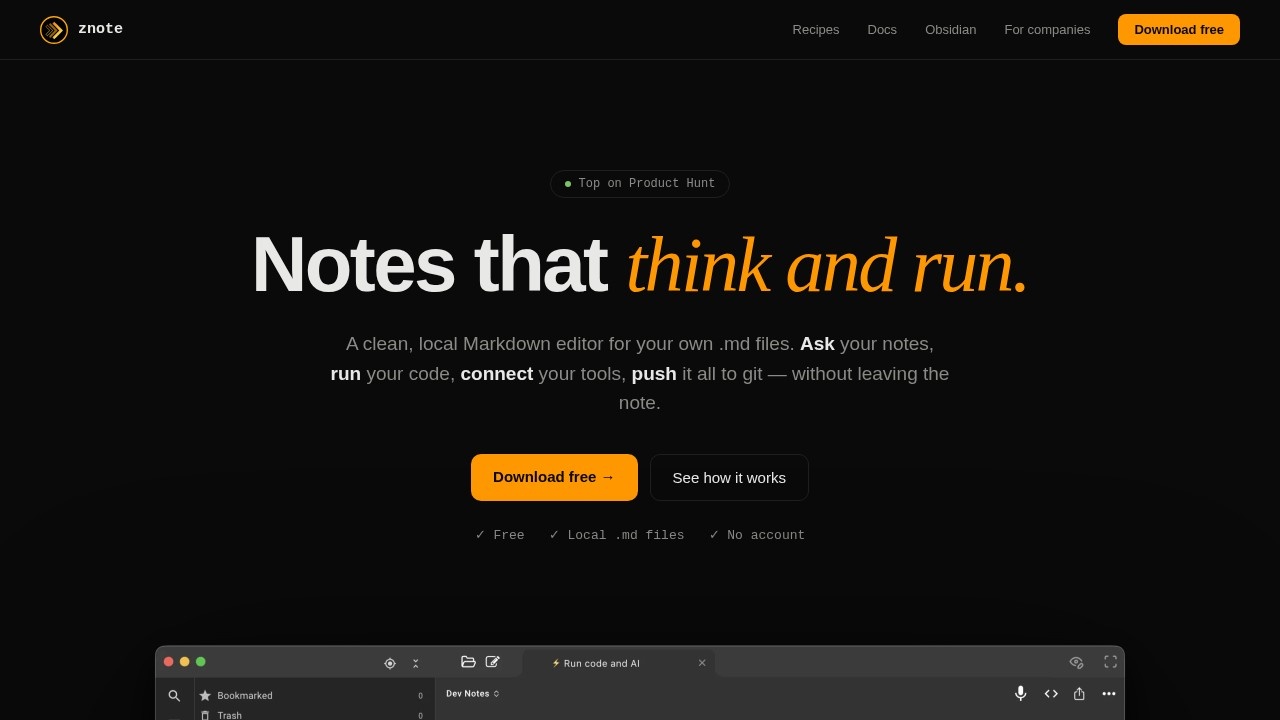
Znote is a desktop Markdown editor that works with your own .md files stored locally. It adds AI and code to your notes: you can ask questions of your notes, run code blocks inline, connect real tools through MCP and version everything with git, all without leaving the note. The site says it is free and needs no account, and that it is built by one independent developer.
Ask your notes
Inside a note, you type @ to choose which files the AI should read and / to pick a command. Examples include turning meeting notes into decisions and action items, or turning a rough idea into a user story using your own template file. Custom slash commands such as /brainstorm and /rewrite are themselves Markdown files you can edit. Answers appear inline in the note rather than in a separate chat window, so there is no copying and pasting.
Run code
A JavaScript code block becomes a small tool. You press play to query a database, call an API or parse a file, and the resulting chart or table renders below the block. Examples on the site include a weekly sales chart, cleaning up a CSV export and a simple status page that fetches your APIs. Save the note and you can rerun it any time.
Connect tools
Znote supports MCP, the open standard for connecting AI to tools. Adding tools= to an AI block lets the model query and create content in services such as GitHub, Postgres, Slack and Linear. Examples include a standup summary built from open pull requests and recent commits, and asking a database questions in plain English. Server configuration uses the same format as Claude Desktop.
Who it suits
Znote suits developers, tech leads and product owners who already keep notes in Markdown and want AI and small scripts close to their documents.
Things to consider
Running code and connecting AI to databases and work tools is powerful, so use read-only credentials where possible and check queries before running them against production data. Find out which AI model your questions are sent to and what that means for sensitive notes. Keeping files in git gives you history and an easy way to undo AI edits.
Details
- Pricing
- Free
- Release date
- 2025-12-19
- Category
- Productivity
Suggest an edit
Sign in to suggest an edit.
Alternatives
 Linkly AILinkly AI is a desktop app that turns the files on your computer into a private knowledge library that AI assistants can search.
 PdfgearPDFgear is a PDF editor that lets you read, edit, convert, merge and sign PDF files across devices.
 Mindmap AI AppMindMap AI is an AI mind map generator that builds maps from your own content.
 Alian Hub Project Management SystemAlianHub is an open-source project management system that can grow into an ERP.
 Trevorai ComTrevor AI is an AI planner that combines your task lists and calendars in one view and helps you turn to-dos into scheduled time blocks.
 ColourlabColourlab is a set of AI imaging tools for people who work with moving images.
 ImagekitImageKit.io is a media lifecycle platform for websites and apps.
 Clipto ComAI-powered media management assistant with transcription, video editing, and asset management tools.
 PixlrPixlr is a free browser photo editor with AI generation, generative fill, upscaling and video and audio tools, plus cheap Plus, Premium and Ultra plans.
 Cleanup.picturesCleanup.pictures removes unwanted objects, people, text and defects from photos in the browser, free at 720px or full resolution with Pro.
 AskyourdatabaseAskYourDatabase is an AI tool for chatting with SQL databases.
 Free Outline Image GeneratorOutline Image is a free web tool that adds an outline around the subject of a photo.