


chat.cx
All your AI chatbots in one panel while you browse. ChatGPT, Claude & more. chat.cx is a AI Tool featured on Dang.ai. Learn more about chat.cx's AI tool.
Sign in to rate this tool.
Overview
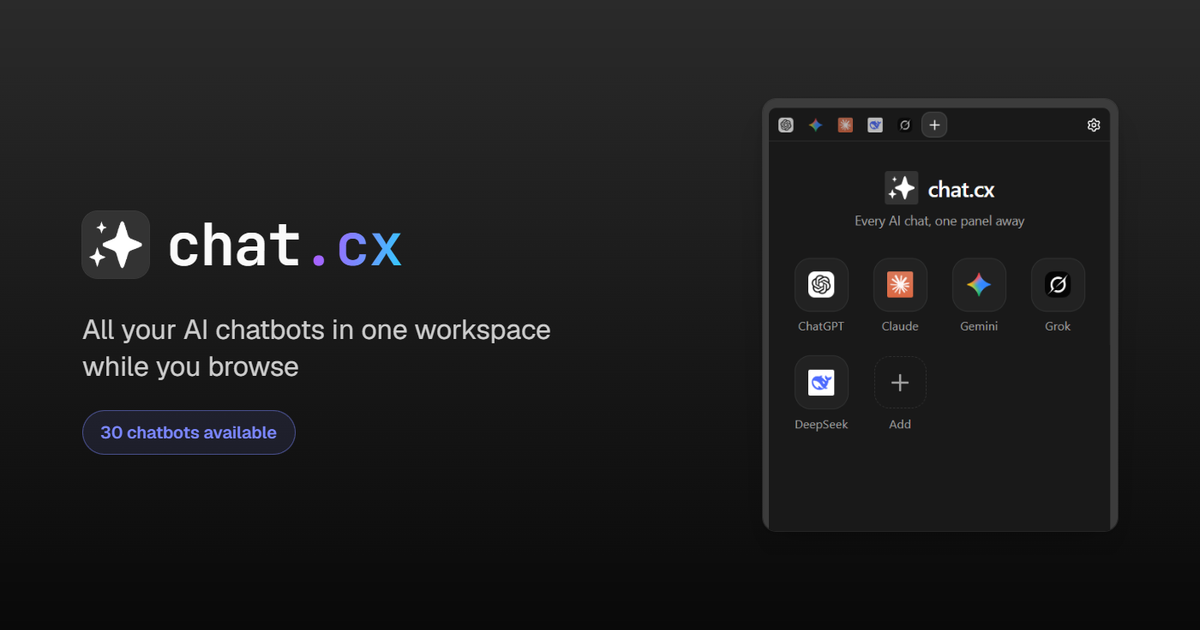
Chat.cx is a Chrome extension that places every AI chat bot you use inside one collapsible sidebar on every webpage. The extension presents a list of bots, from ChatGPT, Claude, Gemini, to less common options such as Doubao, Kimi, and OpenRouter, as individual tabs. Clicking a tab loads the chat interface for that bot, keeps the conversation history visible, and restores the last message you typed whenever you return to the same page.
When you install chat.cx the sidebar appears beside the page you are reading. The chat widgets are lightweight: you paste a prompt into the input field, press enter, and the bot's reply appears in the same pane. The extension remembers the state of each tab, so if you navigate away from a site and come back, the sidebar still shows the conversation exactly where you left it. The sidebar supports dark mode, which follows the operating‑system scheme thanks to a preference‑color‑scheme listener, and will fall back to a light palette if the page's CSS does not load.
Because the panel adheres to the page layout, you can keep reading a news article while a bot analyzes a paragraph you highlighted, or you can copy a chunk of code and ask a different bot to refactor it. Custom or local models can be added by entering a model identifier; the extension then treats that as a separate tab, allowing you to compare a proprietary model side‑by‑side with a public one. The interface works entirely client‑side; no external popup windows open, and the extension relies on JavaScript to manage the tabs and store conversation state in local storage.
Who it suits: people who frequently switch between multiple AI services, researchers, content creators, developers, who prefer not to juggle multiple browser tabs. If you mostly need one bot or prefer a standalone chat window, a dedicated desktop app might be more appropriate. The extension does not provide pricing information, so you must consult each underlying service's terms to know cost or usage limits.
The site lists a limited set of bots, but does not detail supported formats beyond simple text input, nor does it expose any programming or API integration. The sidebar does not offer advanced configuration options, file upload capabilities, or direct analytics about usage.
Key features
Details
- Pricing
- Free
- Last checked
- 3h ago
- Indexing
- noindex, follow
- Category
- Chat
Suggest an edit
Sign in to suggest an edit.
Pros and cons
Pros
- Consolidates many chat bots in one interface.
- Preserves conversation state across page visits.
- Supports custom/local models.
- Dark mode automatic.
Cons
- Available only as a Chrome extension.
- No pricing or usage limits listed.
- Only text input supported, no file uploads or advanced options.
Alternatives
 Dockyai Chatgpt Sidebar Chrome ExtensionTeams running regular ai chatbots campaigns turn to it for repeatable output, and solo creators use it to push through tasks that would otherwise stall their day. Before you decide,...
 ChatbluAI ChatBot Assistant for E-Commerce, integrates with Shopify, customizable dashboard.
 Getbutton AI Chatbots For WebsitesIf ai chatbots tasks take up too much of your day, Getbutton AI Chatbots For Websites is built to give you time back. It handles the heavy lifting while leaving...
 Claude AIClaude review (October 2026): Anthropic's AI assistant, key features, verified Free, Pro, Max and Team pricing, pros, cons and alternatives.
 Youtube Video Summarizer AI PoweredAI-powered YouTube video summarizer that generates concise summaries in one minute.
 EnconvoIt runs on a free model, so getting started is a low-risk decision. After a few sessions you will know quickly whether it fits. The flexibility shows when the same...
 Google GeminiGoogle Gemini review (October 2026): features, verified Free, AI Plus, AI Pro and AI Ultra pricing, who it suits, pros, cons and alternatives.
 PoePoe puts GPT, Claude, Gemini, Grok and thousands of other bots in one app, paid for with compute points instead of separate subscriptions.
 BeamFor a straightforward look at an option like this, Beam is a sensible place to start. Visit getbeam.ai to see live examples and up-to-date details. The feature set covers the...
 Dhtmlx ChatbotThe tool is free, which keeps the barrier to entry low. You can try it before deciding whether it earns a permanent place in your workflow. For a straightforward look...
 Fireflies.aiFireflies.ai records Zoom, Meet and Teams calls with a bot or app, then delivers searchable transcripts, summaries and action items.
 ChatGPTChatGPT review (October 2026): features, verified Free, Go, Plus and Pro pricing, who it suits, pros, cons and alternatives on AIMAPER.