

Sign in to rate this tool.
Overview
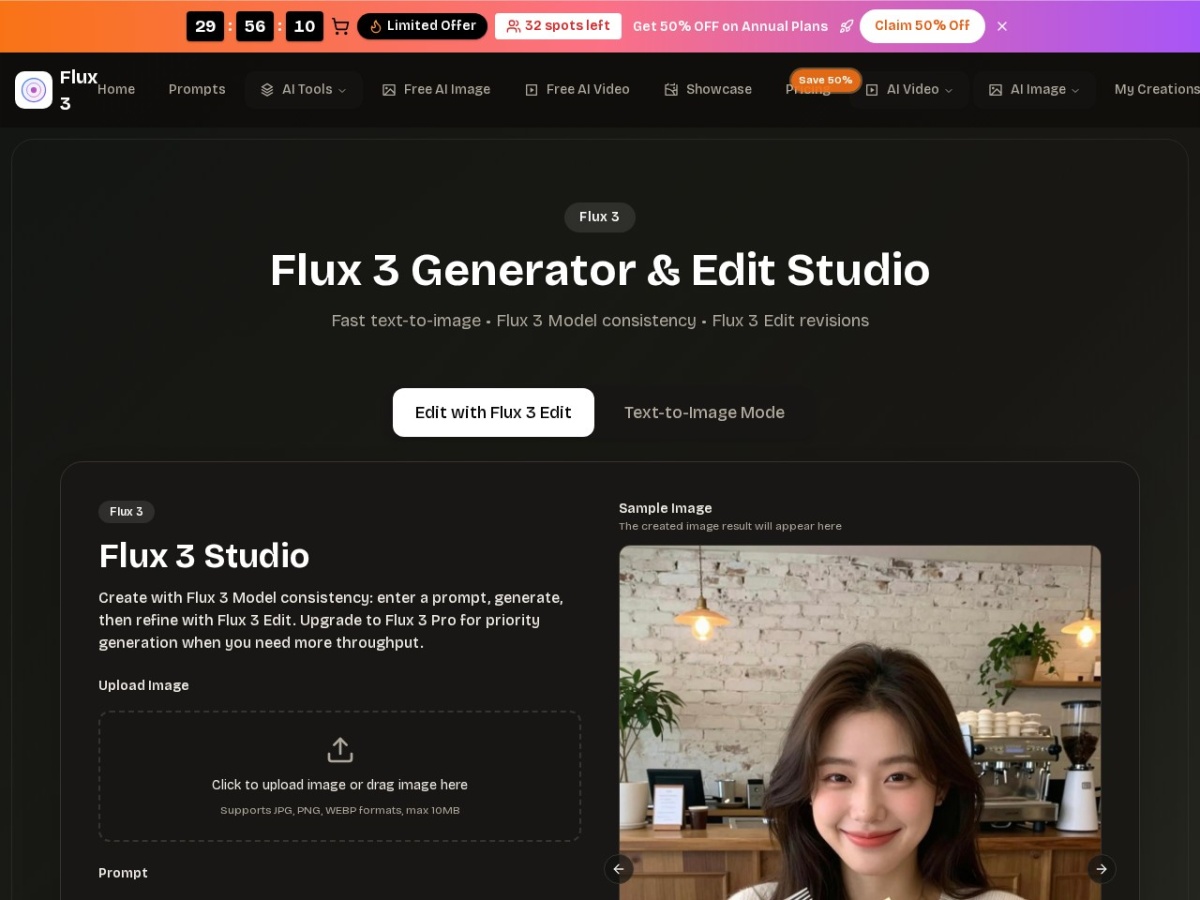
Flux 3 is an online AI image generator and editor that emphasizes speed and consistency. The service offers a free tier with limited credits and a paid Pro plan that prioritizes generation speed. You can create images from text prompts or upload JPG, PNG, or WEBP files up to 10 MB.
The workflow begins by choosing whether you want a product shot, character, thumbnail, or ad. If you upload an image, Flux 3 turns it into a usable starting point; if you write a prompt, you can adjust aspects such as lighting, background, or style with natural‑language instructions. Each edit keeps the main subject intact, so you can tweak small details without redrawing. After you settle on a version, you download it in web‑ or print‑friendly formats. The platform lets you save multiple versions and reuse prompts and settings for future projects.
Flux 3's main strengths lie in character and style consistency. Using the Flux 3 Model, you keep faces and outfits stable across a series, which is useful for storyboards, comics, and recurring characters. The Flux 3 Lora tool locks in a visual style, photorealistic, anime, oil painting, etc., and can be applied across campaigns or product catalogs. If you need more throughput, the Pro plan gives priority generation, while the free tier provides enough credits for trial and small projects.
The editor supports a range of aspect ratios (1:1, 2:3, 3:4, 9:16, 16:9, 1:2, 2:1) and offers a built‑in prompt library with 0–20,000 prompts to guide composition and mood. When creating revisions, you can specify changes, and the tool will adjust background, lighting, or details while preserving the primary subject. Images are delivered without watermarks, and you can export them directly from the interface.
Key features
- Text‑to‑image generation with prompt specificity
- Flux 3 Edit for clean, natural‑language revisions
- Flux 3 Model to maintain character and product consistency
- Flux 3 Lora for brand‑aligned style preservation
- Free credits and a paid Pro plan with priority generation
- Support for JPG, PNG, and WEBP uploads up to 10 MB
Details
- Pricing
- Freemium
- Last checked
- not yet
- Indexing
- index, follow
- Category
- Image
Suggest an edit
Sign in to suggest an edit.
Pros and cons
Pros
- Consistent character and product rendering across series
- Rapid iteration with natural‑language edits
- Variety of aspect ratios and prompt library
- Free tier for initial testing
- No watermark on exported images
Cons
- Requires subscription for higher throughput
- No published pricing details beyond a 50 % discount offer
- Limited to image formats listed on the site
- No integration with other design tools mentioned
Alternatives
 Raphael AIA description of this product, its capabilities, and its intended...
 Fluxai Art Free AI Image GeneratorRather than chasing every possible feature, Fluxai Art Free AI Image Generator picks the ones that matter and does them well. That restraint is noticeable the first time you open...
 AI Photo EditorIf ai image generation tasks take up too much of your day, AI Photo Editor is built to give you time back. It handles the heavy lifting while leaving you...
 FotorFotor is an online photo editor and design tool with dozens of one-click AI tools for enhancing, removing, styling, generating images and video.
 AI Christmas Photo GeneratorFor a straightforward look at an option like this, AI Christmas Photo Generator is a sensible place to start. Visit genimg.ai to see live examples and up-to-date details. Freelancers use...
 MidjourneyMidjourney review (October 2026): AI image and video generator features, verified Basic to Mega pricing, licensing, pros, cons and alternatives.
 PixlrPixlr is a free browser photo editor with AI generation, generative fill, upscaling and video and audio tools, plus cheap Plus, Premium and Ultra plans.
 PicWishPicWish is a simple AI photo editor for background removal, enhancement, AI design and product images, with free, Pro, Max and pay-as-you-go options.
 KreaKrea gathers its own Krea 3 model and third-party image, video and 3D models in one suite, with realtime generation, LoRA training and pro plugins.
 ClipdropClipdrop by Jasper offers quick AI image tools for background removal, cleanup, relighting, uncrop and upscaling, free with daily limits or Pro at $15 a month.
 NightCafeNightCafe is a community-focused AI art generator with 50+ PRO image models, video tools, daily challenges and four PRO credit plans.
 CraiyonCraiyon makes AI images from plain-language prompts with no account needed, and adds paid editing credits, private images and no watermarks.