


Krea
Krea gathers its own Krea 3 model and third-party image, video and 3D models in one suite, with realtime generation, LoRA training and pro plugins.
Sign in to rate this tool.
Overview
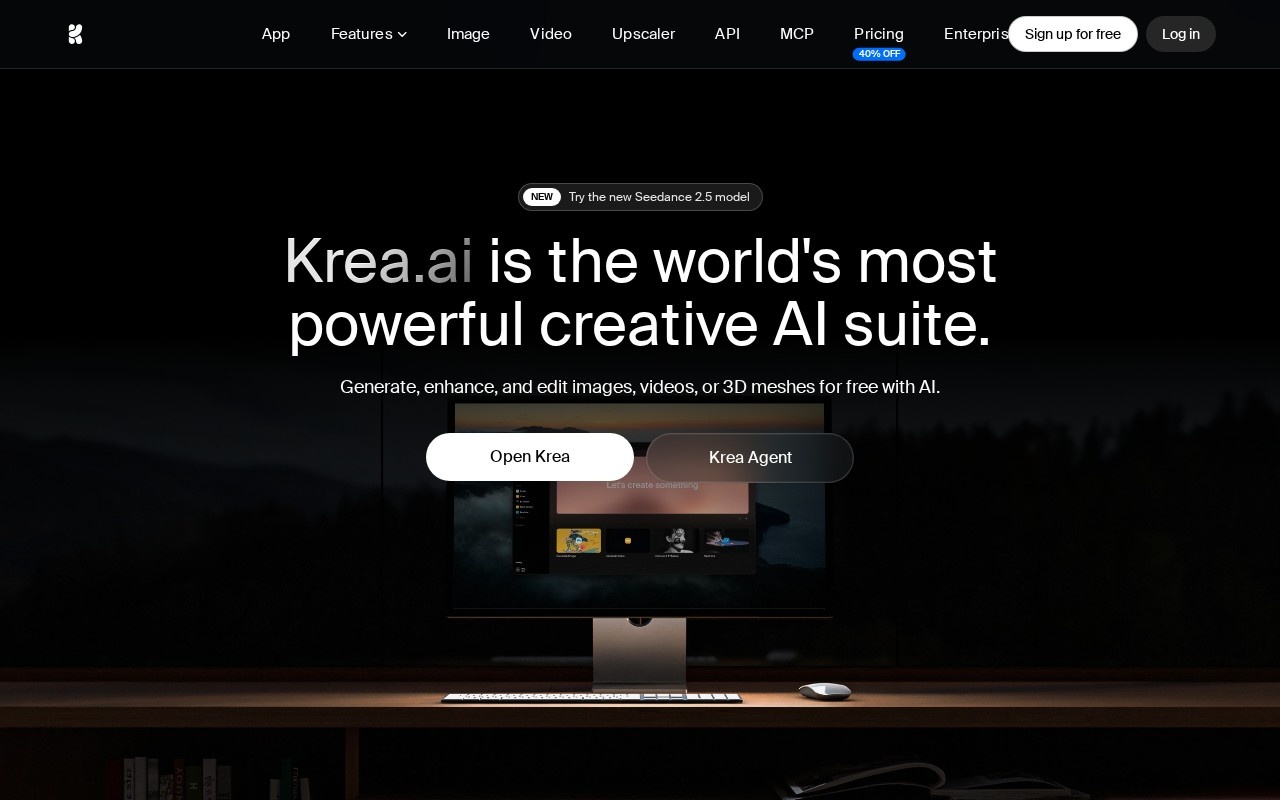
Krea is a creative suite that puts many image, video and 3D models behind one interface. Its own model, Krea 3, handles image generation and editing, and alongside it you get third-party models such as Google's Nano Banana and ByteDance's Seedance video models. Krea says it's trusted by 40 million subscribers.
The feature list on krea.ai covers most of a visual workflow:
- Text-to-image, realtime image generation, and text-to-video.
- Text-to-3D and image-to-3D objects.
- Upscaling and enhancement for images and video, background removal, an image editor and video style transfer.
- LoRA fine-tuning on your own images (and video), so you can lock in a style, product or character, plus LoRA sharing and an asset manager.
- An Agent for planning and iterating, Krea Nodes and an App Builder on higher tiers.
- Plugins for Photoshop, After Effects, Premiere Pro, DaVinci Resolve and Blender, an MCP server, and a ChatGPT integration.
Compute units and plans
Paid plans come with monthly compute units, which different models spend at different rates. Krea translates them into examples on the pricing page. Prices below are as shown on krea.ai/pricing in October 2026 (monthly price, then the yearly-billing equivalent):
- Free: 100 units a day, selected models and features.
- Basic: $9 ($5 yearly), 5,000 units, about 112 Nano Banana 2 images or 15 Seedance 2.0 Fast videos. Selected Seedance models only.
- Pro: $35 ($21 yearly), 20,000 units, about 450 Nano Banana 2 images or 65 Seedance 2.5 videos, plus early access to new features.
- Max: $105 ($63 yearly), 60,000 units, all models including Krea 3 Ultra, and LoRA training with up to 2,000 images.
- Business: from $200 ($160 yearly) for 80,000 units, with a collaborative team workspace. Enterprise is custom, with enterprise-grade security and admin features.
Paid plans keep generating at a relaxed pace on supported in-house image models after units run out, and one-time compute packs last 90 days. The page was also running a limited-time offer on annual Pro and Max plans.
Who it's for
Designers, art directors and video editors who already work in Adobe tools or Resolve and want generation inside those apps, plus anyone who wants to compare top models side by side.
Pros: huge model choice under one bill; realtime generation; plugins for pro software.
Cons: compute units make costs per project hard to judge; the best video models need Pro or above; Krea's offers and model lists change often, so check before you buy.
Alternatives
Leonardo.Ai uses a similar token model with its own image models. Midjourney remains the reference for still images, and Magnific is the specialist for upscaling.
Details
- Pricing
- Freemium
- Release date
- 2026-08-08
- Last checked
- 11h ago
- Indexing
- index, follow
- Category
- Image
Suggest an edit
Sign in to suggest an edit.
Alternatives
 Leonardo.AiLeonardo.Ai generates images and short videos with its own models plus third-party ones such as Flux, Veo and Kling, paid for with monthly tokens.
 Tensor.ArtTensor.Art is a free online image generator and model hosting site where you run community checkpoints and LoRAs or use guided tools like OC Creator.
 getimg.aigetimg.ai is a credit-based creative studio with leading image, video, music and speech models, editing tools, AI Actions and team workspaces.
 PicsartPicsart is an AI creative platform with 180+ image, video and audio models, trend templates, editing agents and Flow workflows, on Pro and Ultra credit plans.
 AI Ease AI Photo EditorSmall operations appreciate the low setup cost, and larger teams value the consistency. Both end up spending less time on busywork and more on the actual result. It also plays...
 SeaArtSeaArt combines many image and video models, one-click effect templates, AI characters and a large remix community, with Basic and SVIP access tiers.
 NightCafeNightCafe is a community-focused AI art generator with 50+ PRO image models, video tools, daily challenges and four PRO credit plans.
 ModeliaSmall operations appreciate the low setup cost, and larger teams value the consistency. Both end up spending less time on busywork and more on the actual result. Modelia is a...
 Raphael AIA description of this product, its capabilities, and its intended...
 ClipdropClipdrop by Jasper offers quick AI image tools for background removal, cleanup, relighting, uncrop and upscaling, free with daily limits or Pro at $15 a month.
 Scenario ComFreelancers use it to keep client work moving, while in-house teams rely on it for consistent output across projects. Either way, the routine parts of ai image generation work get...
 RuncomfyIt is a practical choice for ai image generation work, and the honest way to evaluate it is to give it a spin. Start at runcomfy.com for the latest information....
Pros and cons
Pros
- huge model choice under one bill
- realtime generation
- plugins for pro software
Cons
- compute units make costs per project hard to judge
- the best video models need Pro or above
- Krea's offers and model lists change often, so check before you buy