


Letra Cursiva
Generador gratuito de letras cursivas y estilos Unicode para copiar y pegar.
Sign in to rate this tool.
Overview
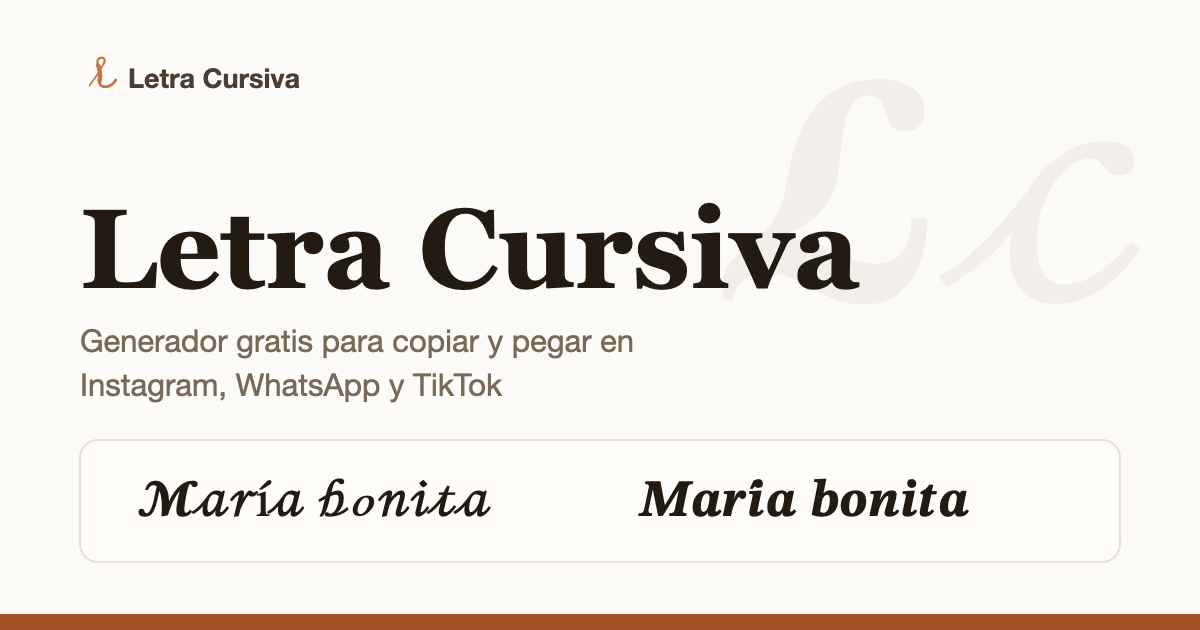
Letra Cursiva (letracursiva.net) is a free Spanish-language generator that turns ordinary text into decorative cursive and fancy letters you can copy and paste into Instagram, WhatsApp, TikTok, Free Fire nicknames, bios and messages. You type your text once and it shows the result in 30 ready-to-copy styles.
How it works
The generator does not use an installed font. It swaps each letter for a decorative Unicode equivalent, so the result is still real text rather than an image, and anyone who receives it sees the same style without having the font. Letters with no decorative variant are left as they are. There is no account and nothing to upload: you type, review the styles and press Copy. If copying fails in your browser, the result is left selected so you can copy it by hand.
Styles
The 30 styles are grouped into cursives, italics and bolds, fantasy and decorated text. They include classic and bold script, spaced and elegant cursive, serif and sans italic, monospace, double-struck, Fraktur, small capitals, circled and full-width letters, superscript and subscript, underlined, strikethrough and dotted text, and versions framed with stars, hearts or symbols such as ꧁ ꧂. Optional decorations can be added around any style.
Guides and alphabet
Dedicated pages cover cursive for Instagram, names, tattoo previews, Free Fire, WhatsApp and "letras bonitas". An A–Z alphabet shows each capital and lowercase letter in classic cursive, with one-tap copying. The blog explains the difference between handwritten, typographic and Unicode cursive and includes practice guides for capital cursive letters and "letra inglesa".
Practical advice
The site gives sensible tips that many similar generators skip:
- Heavily decorated styles read better in names, titles and single words than in long paragraphs.
- Paste a test before saving a profile, as each app can change spacing or symbol shapes.
- Check accents and ñ, because some Unicode styles only cover the basic alphabet.
- Keep a plain-text version of your name so people can search for you, and keep links, emails, passwords and codes in normal text.
- In a bio, use cursive as an accent, such as one highlighted phrase, rather than a whole block.
Pricing
Free to use, with no sign-up.
Who it suits
Spanish-speaking social media users who want a stylish name, bio or caption, gamers creating nicknames, and anyone previewing a word in cursive before choosing a tattoo design.
Pros: 30 styles from a single input; output is real text that works across apps; honest tips on readability.
Cons: Spanish-only interface; some styles don't support accented letters; decorative Unicode can be hard to search for and may not read well with screen readers.
Details
- Pricing
- Free
- Last checked
- 14h ago
- Indexing
- index, follow
- Category
- Writing
Suggest an edit
Sign in to suggest an edit.
Alternatives
 Contador de PalabrasContador de Palabras is a Spanish writing and text analysis tool that counts words and characters while users edit. It helps writers review sentences, readability, keyword density, text rhythm, and…
 Wiz WriteYou will find a free plan, making it easy to test the tool against your own needs first. The practical way to judge it is to use it. Small operations...
 EffieTeams running regular ai coding campaigns turn to it for repeatable output, and solo creators use it to push through tasks that would otherwise stall their day. Power users get...
 Yomu AIPricing model listed: free. Pricing and subscription terms...
 Colorway AIYou will find a free plan, making it easy to test the tool against your own needs first. The practical way to judge it is to use it. A few...
 Deepreel ComIt fits naturally into daily work. Whether you are handling a single quick task or a batch that would eat an afternoon, the tool keeps the pace steady. The tool...
 Grammarly AIGrammarly review (October 2026): AI writing assistant for grammar, tone and rewrites, verified Free, Pro and Enterprise plans, prompts and AI detection.
 FixkeyAI writing assistant for Mac that adapts to your style.
 Fluxai Art Free AI Image GeneratorRather than chasing every possible feature, Fluxai Art Free AI Image Generator picks the ones that matter and does them well. That restraint is noticeable the first time you open...
 Tolgee AI TranslatorTolgee AI Translator is a ai writing assistant that focuses on one thing: making the work easier. It skips unnecessary clutter and gets straight to useful output. There is a...
 Jasper AIJasper review (October 2026): AI marketing content platform with Brand Voice, agents and Canvas, verified Pro pricing, Business plan and trial details.
 Contentstudio IoThe flexibility shows when the same tool is used to sketch a quick idea in the morning and to polish final work in the afternoon. It runs on a free...
Pros and cons
Pros
- 30 styles from a single input
- output is real text that works across apps
- honest tips on readability
Cons
- Spanish-only interface
- some styles don't support accented letters
- decorative Unicode can be hard to search for and may not read well with screen readers
Checked 2026-10-22.