


Sign in to rate this tool.
Overview
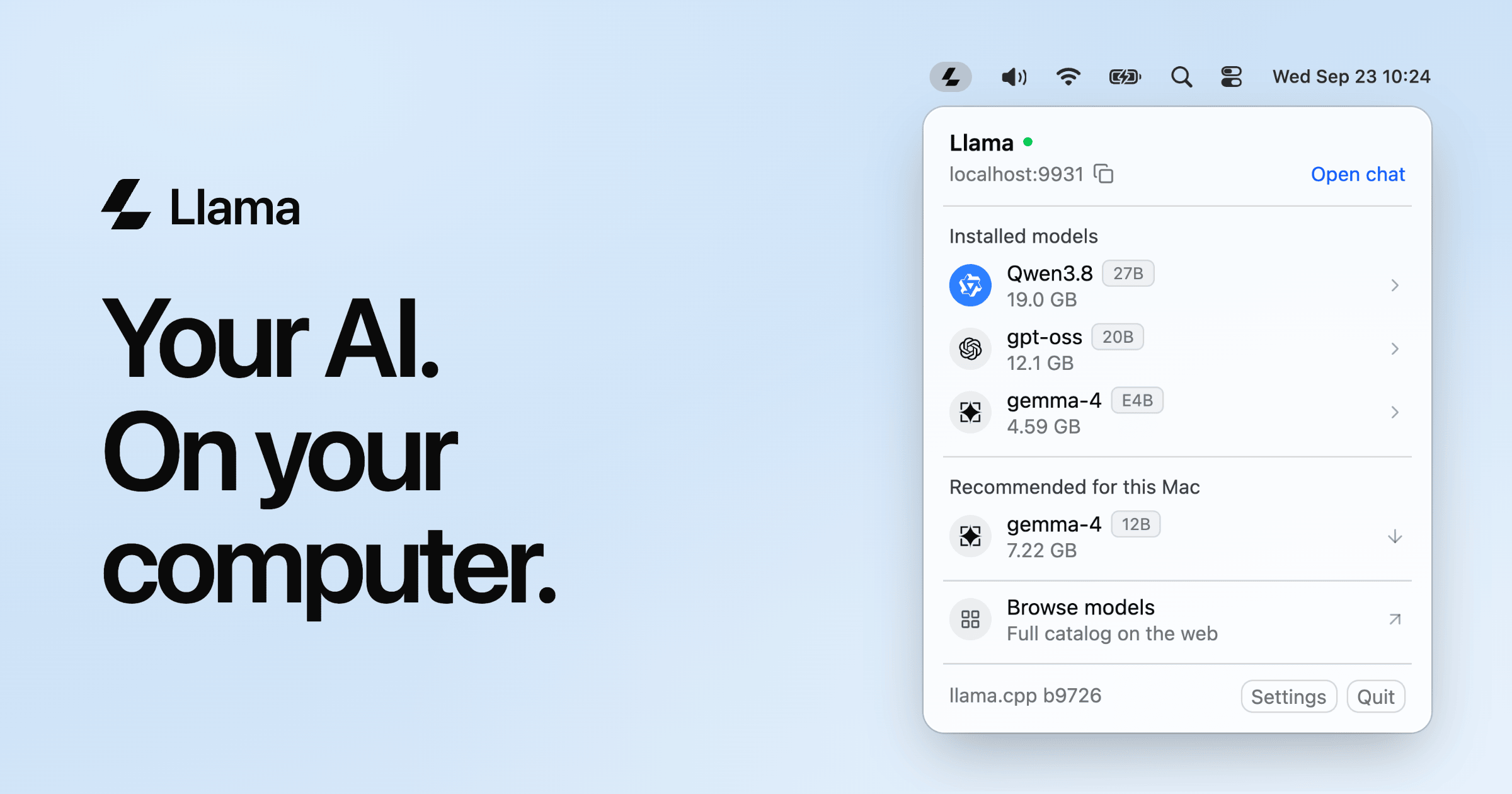
Llama is a single‑file system‑tray application that runs open‑source language models directly on a Windows PC. The program presents a tiny menu‑bar icon and offers two main functions: a web‑based chat window and a local API that mimics the OpenAI REST endpoints.
When you launch Llama, a small window appears containing “Open chat” and “Open API” buttons. Choosing “Open chat” opens a browser tab pointing to `http://localhost:9931`. The interface displays the selected model's name and allows you to type free‑form prompts. The model processes the input and returns a JSON‑encoded response that the UI renders as plain text. Typical inputs include questions, code snippets, or document excerpts, and the outputs are tokenized completions formatted like standard ChatGPT replies.
Selecting “Open API” turns the process into a local service listening on port 9931. Any application that sends an HTTP POST to `/v1/chat/completions`, with headers `Content-Type: application/json` and a body containing `{"model": ".", "messages": [{"role": "user", "content": "."}]}`, receives a response that follows the OpenAI specification. This means code editors, IDE extensions, or custom scripts that already talk to OpenAI can point to the local endpoint without changing their logic. The service supports streaming, tool calling, structured outputs, and vision endpoints if the underlying model enables them.
The software is designed for personal or small‑team computing. It is ideally suited for developers or writers who want full control over the model and data privacy. People with limited storage or who rely on cloud‑based APIs to avoid training or downloading models might find Llama less convenient. The application is free, open source, and has no configuration step beyond accepting the default installation; however, the listing does not provide any pricing tiers, support plans, or licensing details beyond the MIT/Apache‑like license implied by the open‑source status.
Installation is just a 1 MB download for Windows 11. After extraction, the app runs with no further setup. Models are fetched from the Hugging Face cache and stored once, regardless of how many programs use them. When idle, the service stops loading models after five minutes, conserving RAM and disk space. Model recommendation is automatic: the first time you open the app, Llama scans your PC's memory and suggests a default model that fits within your resources, such as Gemma‑4 12B for a 32 GB system.
Details
- Pricing
- Free
- Category
- Chat
Suggest an edit
Sign in to suggest an edit.
Pros and cons
Pros
- Free, no API keys or usage fees
- Runs entirely offline
- Minimal disk space (1 MB app + cached models)
- Quick one‑click model selection
- API compatibility with existing OpenAI tooling
Cons
- Only Windows 11 supported natively
- No paid support or subscription options
- Documentation focuses on command‑line; UI guidance sparse
- Model download sizes can be large for the biggest options
Alternatives
 SpeechpulseSpeech recognition and translation software for real-time typing, transcription, and subtitle generation.
 GowhisperPrivacy-focused desktop app for local audio transcription.
 BeamBeam is a native macOS app that puts ChatGPT one hotkey away.
 Znote AIZnote is a desktop Markdown editor that works with your own .md files stored locally.
 OpensilverOpenSilver is an open-source framework for building web applications with C# and XAML, as used by WPF and Silverlight.
 LitellmLiteLLM is an open-source AI gateway and LLM proxy for platform teams.
 Kilo AIKilo, also known as Kilo Code, is an open-source AI coding agent.
 Claude AIClaude review (October 2026): Anthropic's AI assistant, key features, verified Free, Pro, Max and Team pricing, pros, cons and alternatives.
 Dhtmlx ChatbotDHTMLX Chatbot is a JavaScript UI widget for building chat interfaces for AI support agents and assistants.
 Meta AIMeta AI is Meta's free assistant inside WhatsApp, Instagram, Messenger and Facebook, with deep research, image editing and voice in 13 languages.
 DeepSeekDeepSeek is a China-based AI lab with a chat assistant (no advertised subscription) and a low-cost developer API offering a reasoning mode and a 1M-token context window.
 Alian Hub Project Management SystemAlianHub is an open-source project management system that can grow into an ERP.