


PromptToVisual
PromptToVisual helps creators compare six qualified AI image models, get task-based recommendations, enhance prompts, generate or edit images, and download results from one workspace.
Sign in to rate this tool.
Overview
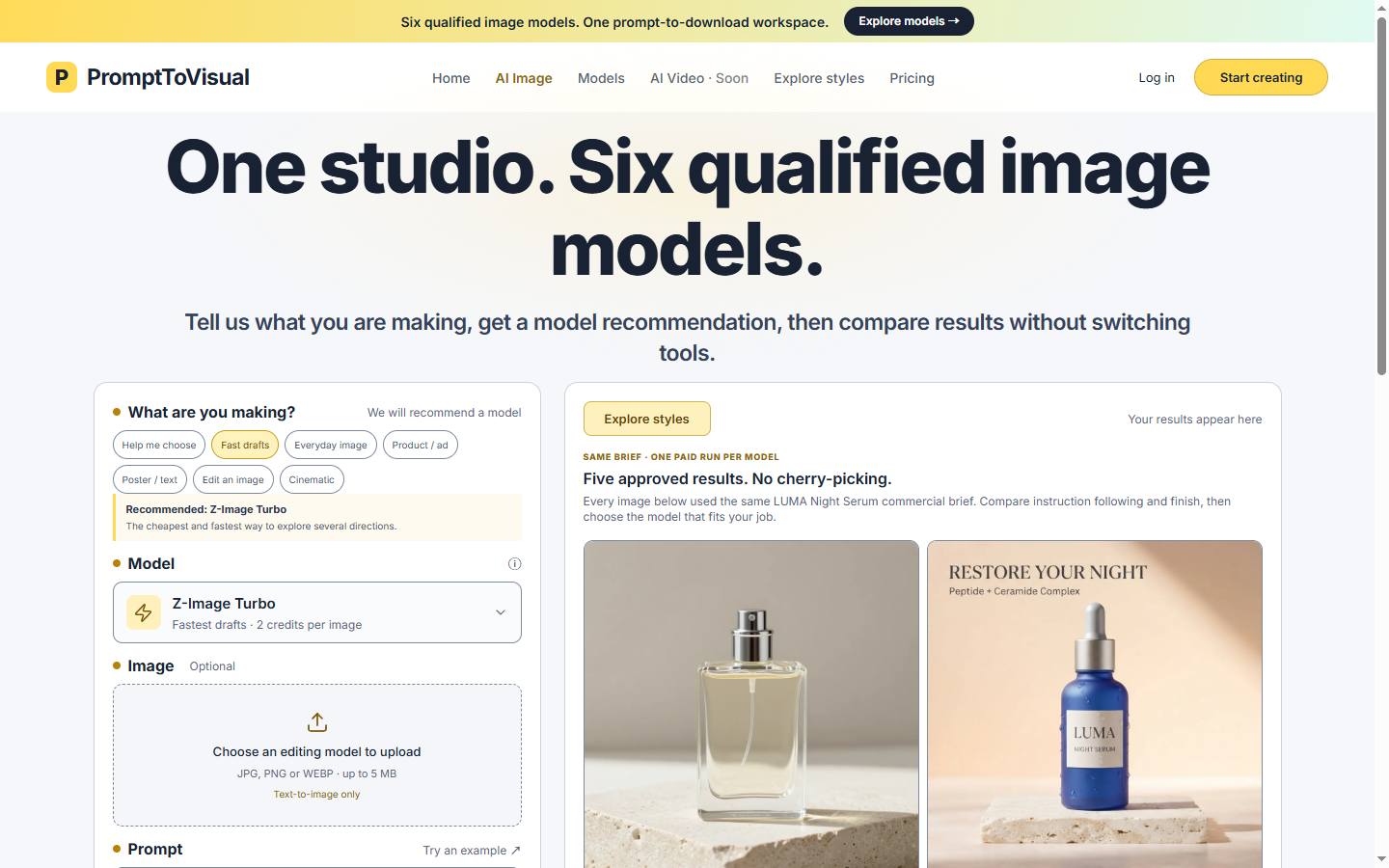
PromptToVisual is an online workspace that lets creators and visual teams test and produce images with a range of AI generators. You can work in a single interface, compare results from multiple models, edit images, and download the finished files.
When you sign up, you get four trial credits that last 30 days after you verify your email. Each credit can be used to create an image with the chosen model, or to edit an image once a draft has been generated. The platform tracks your credit balance and saves all of your completed work in a private history so you can revisit or archive projects later. It also offers paid “Creator” and “Pro” plans that supply monthly credits for ongoing production.
The workflow starts by selecting one of nine image models. The site shows a quick summary of each generator's focus: GPT Image 2 is for detailed product scenes, Qwen Image 3 Pro is geared toward posters and text layout, and Z‑Image Turbo delivers low‑cost draft images. After you paste a prompt, you can choose to enhance it or let the tool auto‑generate the image. The output can be downloaded in JPG, PNG, or WEBP up to 5 MB. If you need to tweak the result, upload the image again and apply an editing model such as Nano Banana 2 or GPT Image 2 5 Flare, etc. All edits are also counted against the model's credit cost.
During a trial run, only four credits are available, which allow one Qwen image or up to two Z‑Image drafts, subject to eligibility. When you need more output, you can purchase a plan that supplies a recurring credit bundle. The interface also lets you compare “same‑brief” outputs from the different models so that you can see how each handles instruction following and finish.
Key features
- Nine independent image generators with task‑specific descriptions
- One‑click prompt enhancement and image generation
- Built‑in editing workflow for JPG, PNG, WEBP (≤5 MB)
- Credit‑based usage; four free trial credits after email verification
- Private creation history with download options
- Model‑specific credit pricing (e.g., 2 credits per image for Z‑Image Turbo)
Details
- Pricing
- Freemium · from $29/mo
- Category
- Image
Suggest an edit
Sign in to suggest an edit.
Pros and cons
Pros
- Unified workspace for multiple generators
- Visual comparison of model outputs from the same prompt
- Editing tools available for each image model
- Free trial credits give a clear start without purchasing
- Transparent credit usage and cost per image
Cons
- Credit pricing not disclosed for paid plans
- Limited trial credits may constrain experimentation
- No real‑time collaboration features mentioned
- No mention of API integration for automated workflows
Alternatives
 Raphael AIRaphael AI is a web-based AI image generator that advertises free, unlimited image creation with no login required.
 Fluxai Art Free AI Image GeneratorFluxAI.art is an online AI image generation and editing site that brings several models together.
 AI Ease AI Photo EditorAI Ease is an online creation platform that brings many AI image and video tools together.
 AI Photo EditorAI Photo Editor is a browser-based tool that edits photos from a written prompt.
 PicWishPicWish is a simple AI photo editor for background removal, enhancement, AI design and product images, with free, Pro, Max and pay-as-you-go options.
 PixMindPixMind is an AI image and video platform aimed at e-commerce sellers, marketers and content creators.
 Image to ImageImage to Image is a web app that combines an uploaded photo with a text prompt to create a new version of that image, keeping useful visual context such as…
 ImaggaImagga offers image and video recognition APIs that help businesses analyse, discover and moderate visual content.
 Popai ProPopAi is an online AI presentation maker and PowerPoint generator.
 MidjourneyMidjourney review (October 2026): AI image and video generator features, verified Basic to Mega pricing, licensing, pros, cons and alternatives.
 Facelessvideos AIAI tool to create faceless videos for YouTube and TikTok from a text prompt.
 Image PipelineImagePipeline is an image generation API built for product and fashion commerce.
Pricing
- Pricing model: Freemium
- Starting price: $29/mo