

Block Poster
Free block poster maker. Turn a photo into a large poster printed across A4 or Letter pages.
Sign in to rate this tool.
Overview
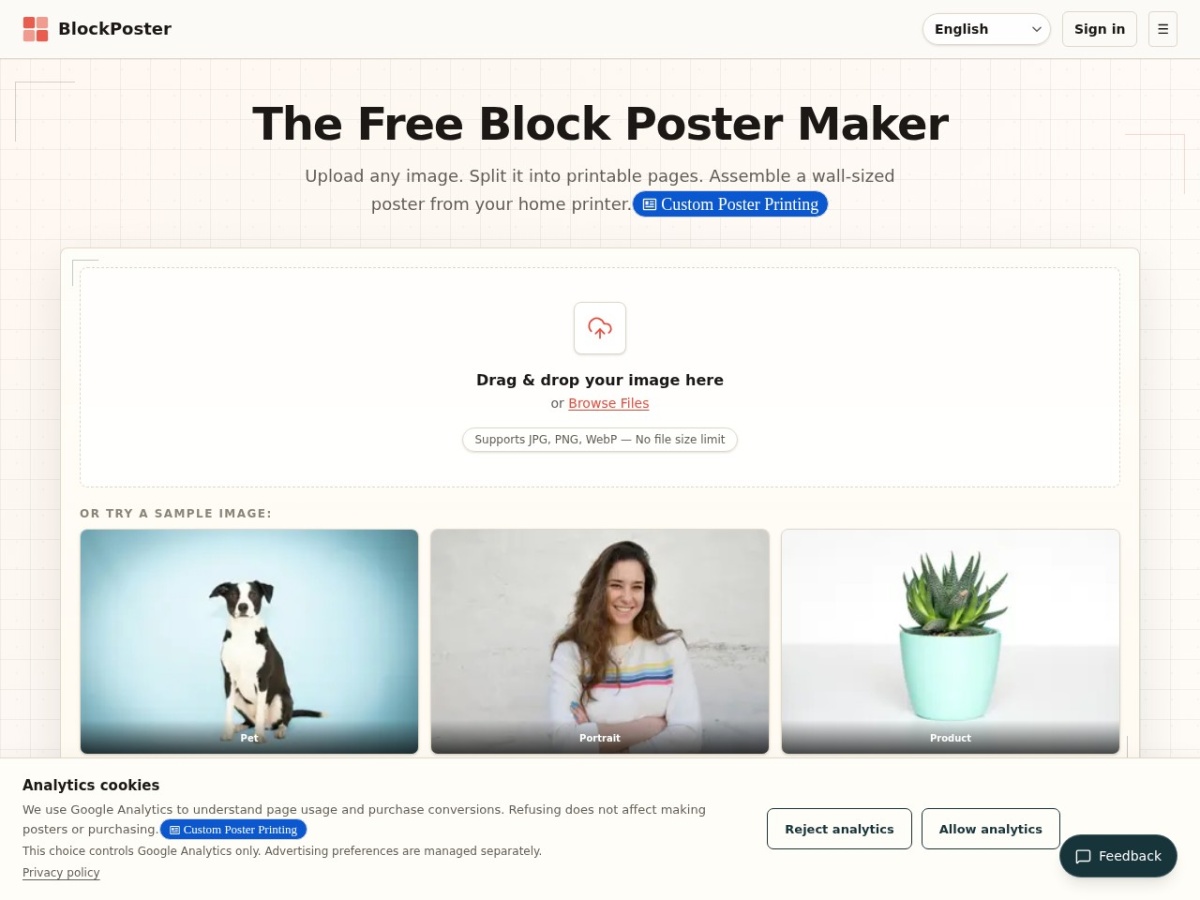
Block Poster is a free web tool that lets you turn any image into a large poster printed on standard A4, US Letter, A3, Legal or Tabloid sheets. The service runs entirely in your browser, so no account, download or watermark is required, and your source file never leaves your device.
You start by dragging a JPG, PNG or WebP file, there is no file‑size limit, onto the upload area. The interface then shows a real‑time preview where you can pick the paper size, the number of pages across and down, the orientation, and the amount of overlap between tiles. After you confirm the layout, Block Poster generates a multi‑page PDF that you download and print at actual size. The PDF keeps page order, margins and overlap consistent, making it possible to trim the edges, line the sheets up and tape them together into a wall‑sized image.
The tool is aimed at educators, DIY crafters and anyone who wants a quick, low‑cost way to produce large graphics without a professional printer. Classroom maps, event banners, quilting patterns or personal photo walls can all be created from a single high‑resolution image. Because the processing happens locally, the image stays on your computer, which is useful for privacy‑sensitive projects. The site also offers a sample image and a short guide with printing tips, such as using 10‑15 mm overlap and printing at 100 % scale rather than “Fit to Page”.
Block Poster supports multiple paper formats, including A4, US Letter, A3, Legal and Tabloid, and lets you adjust margins to suit the paper you have. Overlap settings are configurable, which helps with alignment when assembling the final poster. The service works on any modern browser, whether on a desktop, laptop, tablet or phone, and requires no installation. A Pro option is mentioned for optional cloud‑based background removal, but the core poster‑splitting functionality remains free.
Key features
- Upload JPG, PNG or WebP images with no size limit, processed locally in the browser
- Choose paper size, grid dimensions, orientation and overlap with a live preview
- Download a multi‑page PDF ready for home printing on A4, Letter, A3, Legal or Tabloid
- Configurable margins and overlap to simplify trimming and alignment
- Works on any device with a modern browser, no software download required
Details
- Pricing
- Free
- Category
- Image
Suggest an edit
Sign in to suggest an edit.
Pros and cons
Pros
- No account, signup or watermark required
- All processing happens in the browser, keeping images private
- Supports a wide range of paper sizes and custom grid settings
- Free to use for single‑image posters
Cons
- No pricing information for the optional Pro background‑removal feature
- Assembly requires manual trimming and alignment, which can be time‑consuming
- No built‑in printing service; you must provide your own printer and paper.
Alternatives
 Znote AIZnote is a desktop Markdown editor that works with your own .md files stored locally.
 PixlrPixlr is a free browser photo editor with AI generation, generative fill, upscaling and video and audio tools, plus cheap Plus, Premium and Ultra plans.
 Bulk Image GenerationBulk Image Generation is an AI image tool built for volume.
 DesignrrDesignrr is a content repurposing and ebook design tool.
 AI Photo EditorAI Photo Editor is a browser-based tool that edits photos from a written prompt.
 Casegen AICaseGen.ai is an AI-powered intake and receptionist service for law firms.
 Cleanup.picturesCleanup.pictures removes unwanted objects, people, text and defects from photos in the browser, free at 720px or full resolution with Pro.
 Image Translator Manga TranslatorTranslateImg is an online AI image translator.
 CraiyonCraiyon makes AI images from plain-language prompts with no account needed, and adds paid editing credits, private images and no watermarks.
 Dyspute AIDyspute.ai is an online dispute resolution platform built around Adri, an AI mediator.
 AI ShotsAI Shots is an AI headshot service that creates professional-style portraits from photos you already have.
 PicWishPicWish is a simple AI photo editor for background removal, enhancement, AI design and product images, with free, Pro, Max and pay-as-you-go options.