


RemoveHandwriting
Remove handwriting from worksheets, PDFs and scans with AI
Sign in to rate this tool.
Overview
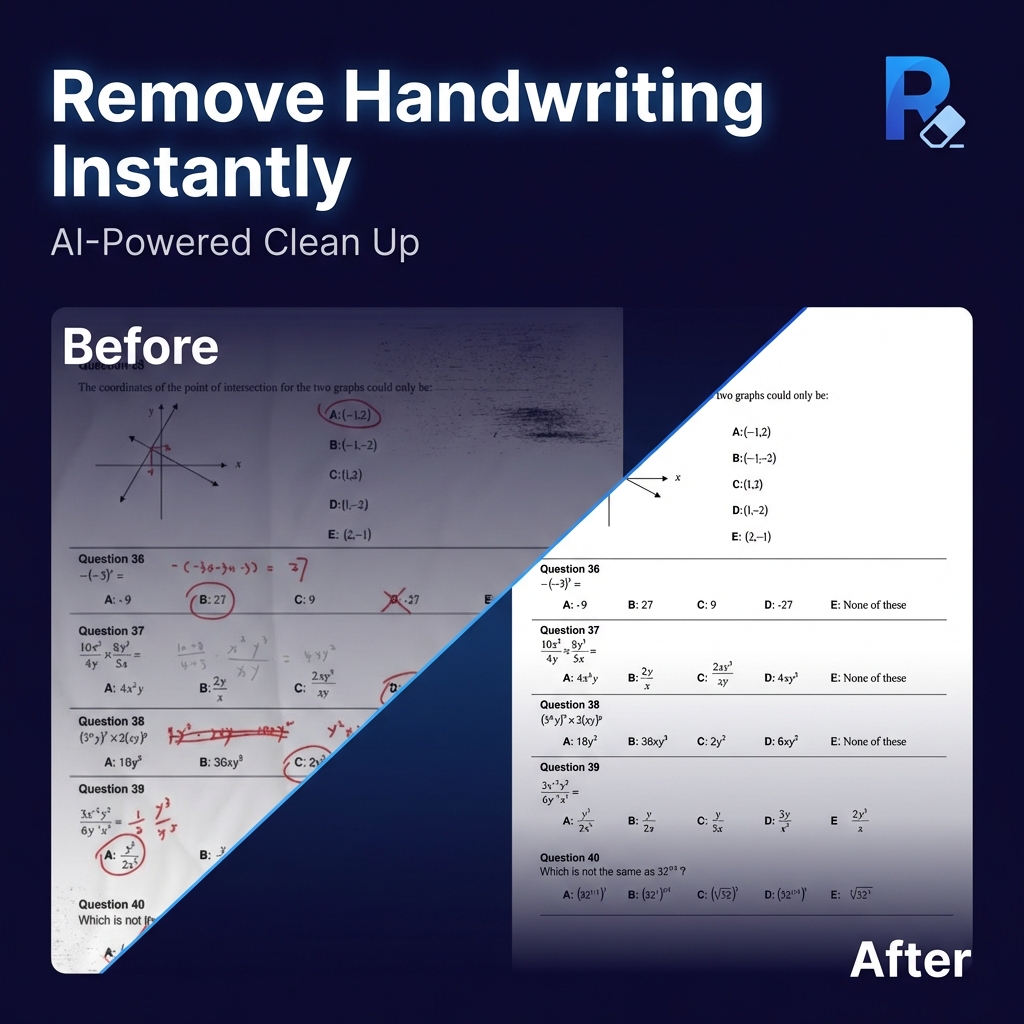
RemoveHandwriting is an AI‑driven service that deletes handwritten text, notes and pen marks from images, PDFs and scanned documents while trying to keep printed content, tables and layout unchanged. The tool is available through a web interface and native apps for iOS and Android, and it offers a freemium model that gives new users three free credits.
The core function works on single images (JPG, PNG, JPEG) as well as multi‑page PDFs. You upload a file, the AI scans the page, removes the handwriting and returns a cleaned version that can be downloaded directly or saved as a new PDF. For PDFs you can select specific pages to process, which helps preserve the original pagination and document structure. If the automatic cleanup does not produce satisfactory results, a manual mode lets you paint over unwanted marks with a brush or rectangle, giving you more control over difficult or damaged pages.
The service targets teachers, students, office workers and anyone who needs to reuse printed material that has been annotated by hand. Typical use cases include cleaning exam worksheets, removing handwritten signatures from contracts, or preparing scanned archives for digital storage. The workflow is straightforward: choose a single image, a batch of images, or a PDF; optionally select an area to erase; let the AI run (usually in seconds); then download the cleaned file. Additional utilities on the site let you combine images into a PDF, split PDFs, compress or resize images, and share files temporarily via a link or QR code that expires after 24 hours.
Key features
- AI removal of handwritten text, notes, underlines and highlights from JPG, PNG, JPEG and PDF files
- Page‑selection for PDF processing to keep layout and pagination intact
- Manual brush or rectangle tool for targeted cleanup of complex or damaged scans
- Bulk processing for multiple images in a single batch
- Automatic edge detection, skew correction and auto‑crop to improve scanned page appearance
- Free tier provides three credits on signup; additional credits can be purchased
Details
- Pricing
- Freemium
- Release date
- 2026-01-19
- Category
- Image
Suggest an edit
Sign in to suggest an edit.
Pros and cons
Pros
- Handles both single‑image and multi‑page PDF inputs
- Preserves printed text, tables and original colors as much as possible
- Includes extra utilities such as PDF splitting, image compression and temporary file sharing
Cons
- No pricing details are published beyond the initial free credits
- Exact preservation of printed content is not guaranteed, especially with overlapping text
- Manual cleanup may be required for particularly complex handwriting or damaged pages.
Alternatives
 AI Photo EditorAI Photo Editor is a browser-based tool that edits photos from a written prompt.
 Quickqr ArtQuick QR Art is an AI generator for artistic QR codes.
 AI Ease AI Photo EditorAI Ease is an online creation platform that brings many AI image and video tools together.
 ModeliaModelia is an AI tool for fashion brands that generates model photography and video from product images.
 Image Translator Manga TranslatorTranslateImg is an online AI image translator.
 DesignrrDesignrr is a content repurposing and ebook design tool.
 Bulk Image GenerationBulk Image Generation is an AI image tool built for volume.
 Popai ProPopAi is an online AI presentation maker and PowerPoint generator.
 Free Outline Image GeneratorOutline Image is a free web tool that adds an outline around the subject of a photo.
 Remove TextAI Remove Text is an online tool that removes text from images and rebuilds the background behind it.
 ArtblastaiArtBlast AI is a web platform for creating art with AI.
 EraserEraser is an AI tool for creating technical diagrams such as cloud architecture diagrams, business process flows and system designs.