


Smart Keys For Ios
Power users get deeper controls, while casual users can ignore them. The result is a tool that scales from quick one-off tasks to larger recurring workloads. Smart Keys For Ios...
Sign in to rate this tool.
Overview
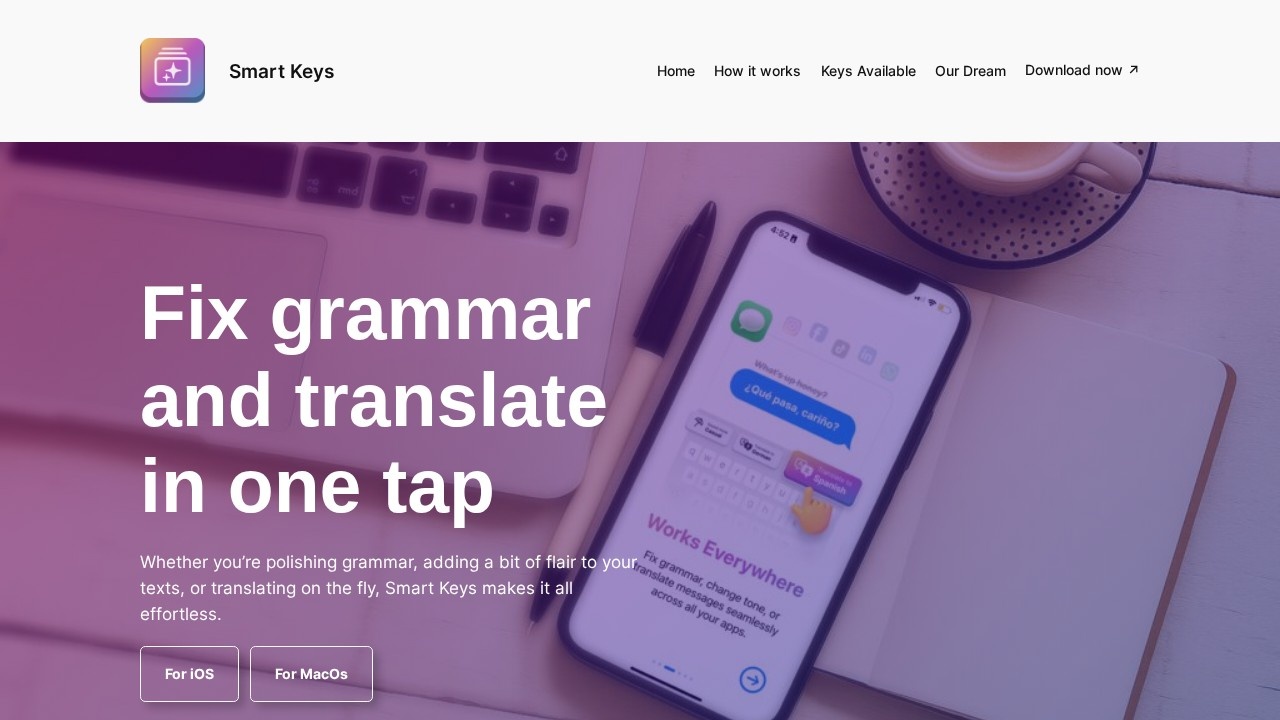
Smart Keys is an AI writing tool that works as a keyboard on iPhone and iPad and as a set of AI shortcuts on Mac. Its tagline is fix grammar and translate in one tap. Instead of copying text into a separate chatbot, you choose an action key and apply it to the text you are typing, in whatever app you are using.
How it works on iPhone and iPad
You install Smart Keys and enable it as a keyboard. Then you pick the keys that suit your needs from a collection covering work, casual messaging and translation. Your chosen keys sit in the keyboard and are available across all apps, so the same actions work in messages, email, notes and social media.
How it works on Mac
On macOS, Smart Keys provides the same idea as AI shortcuts. You select keys for the tasks you do often and use them across your apps for a consistent workflow when writing emails, documents or chats.
What the keys do
The main functions are polishing grammar, adjusting tone or adding a bit of flair to a message, and translating on the fly into many languages. User reviews on the site mention translation and ease of use, and one compares it favourably with Grammarly for simplicity, while another four-star review notes it needs some tweaks.
Pricing
Smart Keys is downloaded from the App Store. The website does not list full pricing, so check the App Store listing for any subscription or in-app purchases.
Who it suits
Smart Keys suits non-native English speakers who want quick corrections, people who message across languages, and anyone who wants AI rewriting without switching apps.
Things to consider
Third-party keyboards can see what you type, so read the privacy policy and avoid using it for passwords or highly sensitive information. Check translations before sending anything important, as AI can miss nuance or tone. Grammar suggestions may change your meaning, so read the result before you send it. Try it with everyday messages first to see whether the keys fit how you write.
Because the keys live in the keyboard itself, there is no need to copy text between apps, which saves time on short everyday messages.
Details
- Pricing
- Freemium
- Release date
- 2026-03-13
- Last checked
- 4d ago
- Indexing
- index, follow
- Category
- Writing
Suggest an edit
Sign in to suggest an edit.
Alternatives
 Contador de PalabrasContador de Palabras is a Spanish writing and text analysis tool that counts words and characters while users edit. It helps writers review sentences, readability, keyword density, text rhythm, and…
 Letra CursivaGenerador gratuito de letras cursivas y estilos Unicode para copiar y pegar.
 Social BellowAI content generator for brainstorming, advice, and interactive conversations.
 AdminforthPricing model listed: free. Pricing and...
 Jasper AIJasper review (October 2026): AI marketing content platform with Brand Voice, agents and Canvas, verified Pro pricing, Business plan and trial details.
 Passport MakerPower users get deeper controls, while casual users can ignore them. The result is a tool that scales from quick one-off tasks to larger recurring workloads. Passport Maker is a...
 Visor AIPower users get deeper controls, while casual users can ignore them. The result is a tool that scales from quick one-off tasks to larger recurring workloads. The tool is free,...
 ImaggaIt is a practical choice for ai image generation work, and the honest way to evaluate it is to give it a spin. Start at imagga.com for the latest information....
 Gleap IoPower users get deeper controls, while casual users can ignore them. The result is a tool that scales from quick one-off tasks to larger recurring workloads. It is a practical...
 Resleeve AITeams running regular ai image generation campaigns turn to it for repeatable output, and solo creators use it to push through tasks that would otherwise stall their day. The tool...
 ArtblastaiIt is a practical choice for ai image generation work, and the honest way to evaluate it is to give it a spin. Start at artblastai.com for the latest information....
 DALL-E 3DALL·E in ChatGPT review (October 2026): DALL·E is retired; what ChatGPT Images now offers, plan access, pricing, pros, cons and alternatives.